
Terraform is a widely used Infrastructure as Code (IaC) tool that enables developers and operations teams to define, provision, and manage cloud infrastructure using human-readable configuration files. Understanding the Terraform workflow, which includes the init, plan, apply, and destroy commands, is essential for automating cloud resources safely and efficiently. By following this workflow, teams can reduce manual errors, maintain consistency, and manage infrastructure in a predictable and reliable way.
Terraform CLI Commands
Terraform’s command-line interface (CLI) allows users to interact with infrastructure efficiently. The main commands include:
- terraform init – Prepares the project and downloads necessary provider plugins.
- terraform plan – Previews proposed changes to the infrastructure.
- terraform apply – Executes changes in the cloud environment.
- terraform destroy – Removes resources managed by Terraform.
Additionally, using these commands together ensures a structured lifecycle, reducing mistakes and improving automation.
Terraform Execution Lifecycle
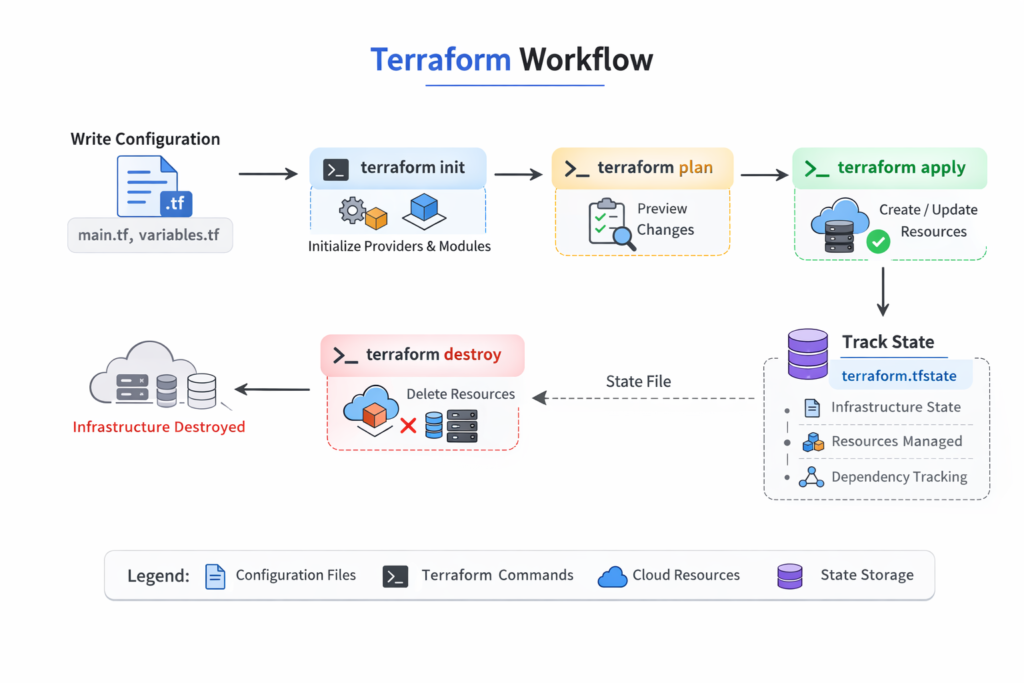
Terraform follows a structured lifecycle that begins with defining configuration and ends with optionally destroying the infrastructure. Initially, you create .tf files specifying the resources you need, such as virtual machines, databases, or storage buckets. Running terraform init sets up the environment by downloading provider plugins and configuring the backend to store the state file, which records all resources managed by Terraform.
Next, terraform plan compares the current state with the configuration, generating a detailed preview of resources to be created, updated, or destroyed. This acts as a safety check to avoid unintended changes. After reviewing the plan, terraform apply executes the changes and updates the state file to reflect the current infrastructure. Finally, terraform destroy can remove all managed resources when they are no longer needed.
Key Points:
- Terraform ensures infrastructure is defined as code.
- The lifecycle guarantees predictable changes and reduces errors.
- State management allows safe updates and collaboration.
Terraform init
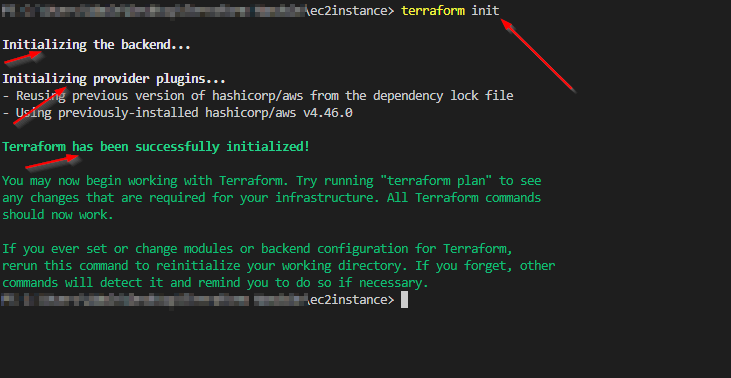
The terraform init command initializes a Terraform project. It downloads required provider plugins (like AWS, Azure, or GCP), sets up the backend for the state file, and prepares the working directory. This step ensures Terraform can manage infrastructure efficiently. It usually only needs to run once per project unless configuration changes require re-initialization.
Key Points:
- Initializes working directory and backend.
- Downloads necessary provider plugins.
- Prepares Terraform for safe execution.
Example Command:
terraform init
Terraform plan
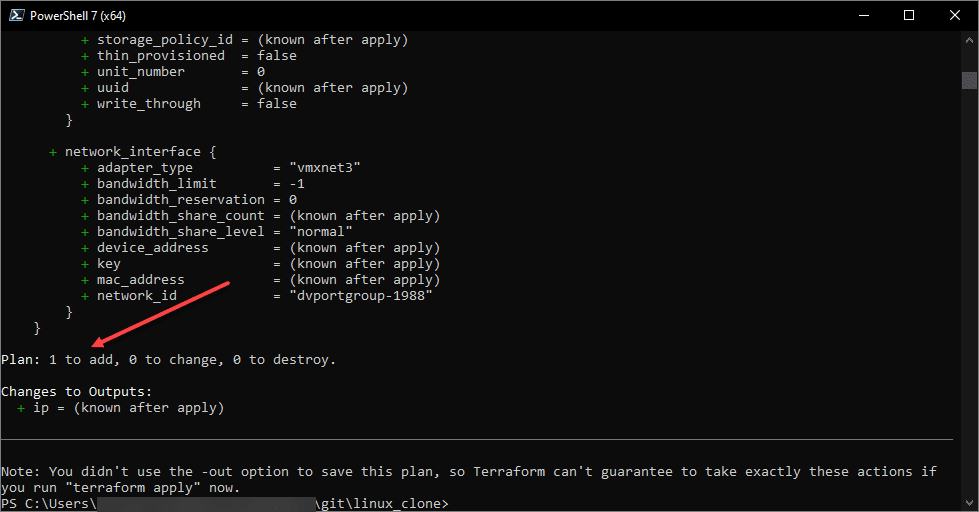
Terraform plan previews what Terraform will do before applying changes. By comparing the configuration with the current state, Terraform generates a detailed summary of resources that will be added, updated, or deleted. This prevents unintended changes to live infrastructure. The output often uses: + for creation, ~ for updates, and – for deletions.
Key Points:
- Previews infrastructure changes safely.
- Highlights additions, updates, and deletions.
- Helps avoid accidental deletion or misconfiguration.
Example Command:
terraform plan
Terraform apply
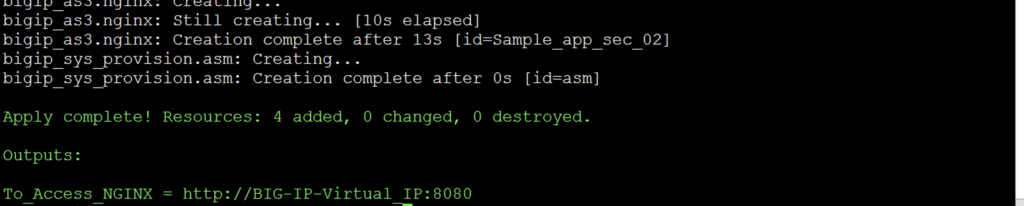
After reviewing the plan, terraform apply executes the proposed changes. Terraform communicates with the cloud provider to create, update, or delete resources and then updates the state file to maintain an accurate record. This ensures subsequent changes are applied safely, keeping infrastructure predictable and auditable.
Key Points:
- Executes the planned infrastructure changes.
- Updates the state file to reflect current resources.
- Ensures predictable and auditable infrastructure changes.
Example Command:
terraform apply
Terraform destroy
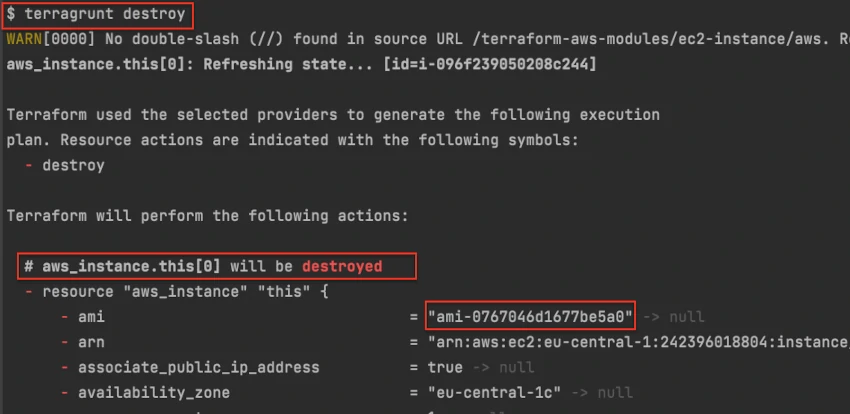
Terraform provides a way to remove infrastructure safely using terraform destroy. It deletes all resources managed by Terraform, using the state file to ensure only those resources are removed. This is especially useful for testing environments or temporary deployments.
Key Points:
- Safely removes resources managed by Terraform.
- Uses the state file to avoid accidental deletion.
- Useful for cleanup in test or temporary environments.
Example Command:
terraform destroy
How Terraform Tracks Changes
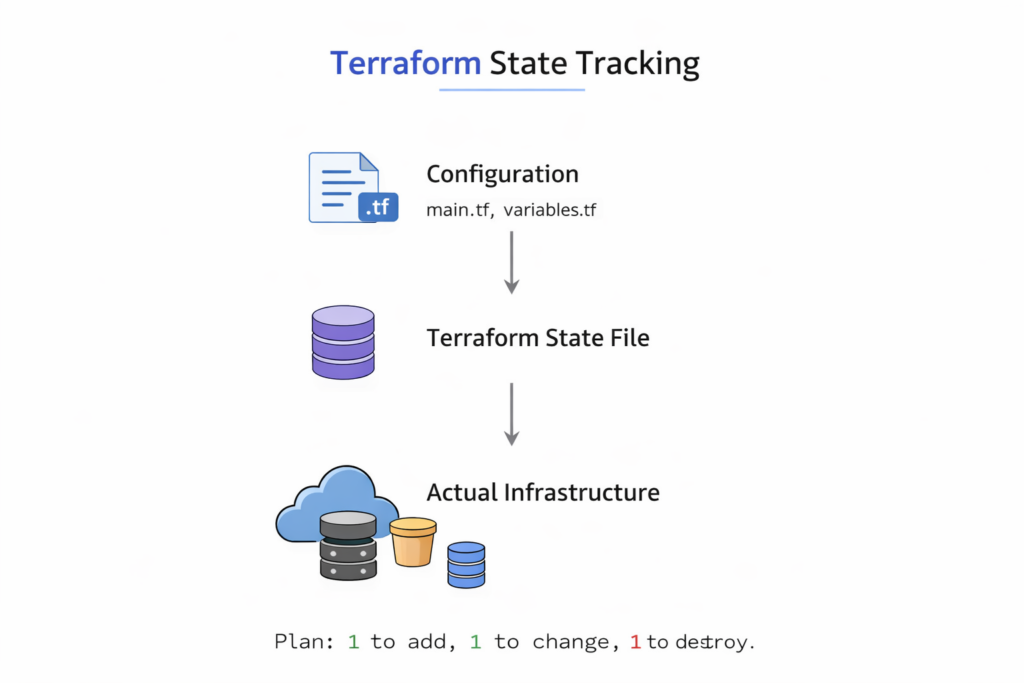
Terraform’s state management is one of its key strengths. It maintains a state file (terraform.tfstate) mapping configuration files to real-world resources. This allows Terraform to detect changes accurately and update only what is needed. Remote backends like S3, Terraform Cloud, or Azure Blob Storage enable team collaboration, ensuring that infrastructure is consistent and auditable across multiple users.
Key Points:
- State file maps configuration to actual resources.
- Detects changes to apply updates efficiently.
- Remote backends enable collaboration and prevent conflicts.
Conclusion
Terraform’s workflow init, plan, apply, and destory—offers a structured, reliable way to manage cloud infrastructure. Paragraph explanations combined with key points allow beginners to understand both how and why each step works. Using workflow, plan, apply, destroy, and state tracking diagrams makes concepts clear and enhances learning. Mastering Terraform improves productivity, reduces errors, and ensures that infrastructure management is predictable, auditable, and scalable.
For more in-depth guidance, you can explore related resources:
- Learn the basics of Infrastructure as Code (IaC) to understand how Terraform fits into modern DevOps practices.
- Check out AWS deployment tutorials for practical cloud examples using Terraform.
- Refer to the Terraform Official Documentation for the most up-to-date commands and best practices.
- Review the Terraform CLI Reference to understand all available commands and their options.
