
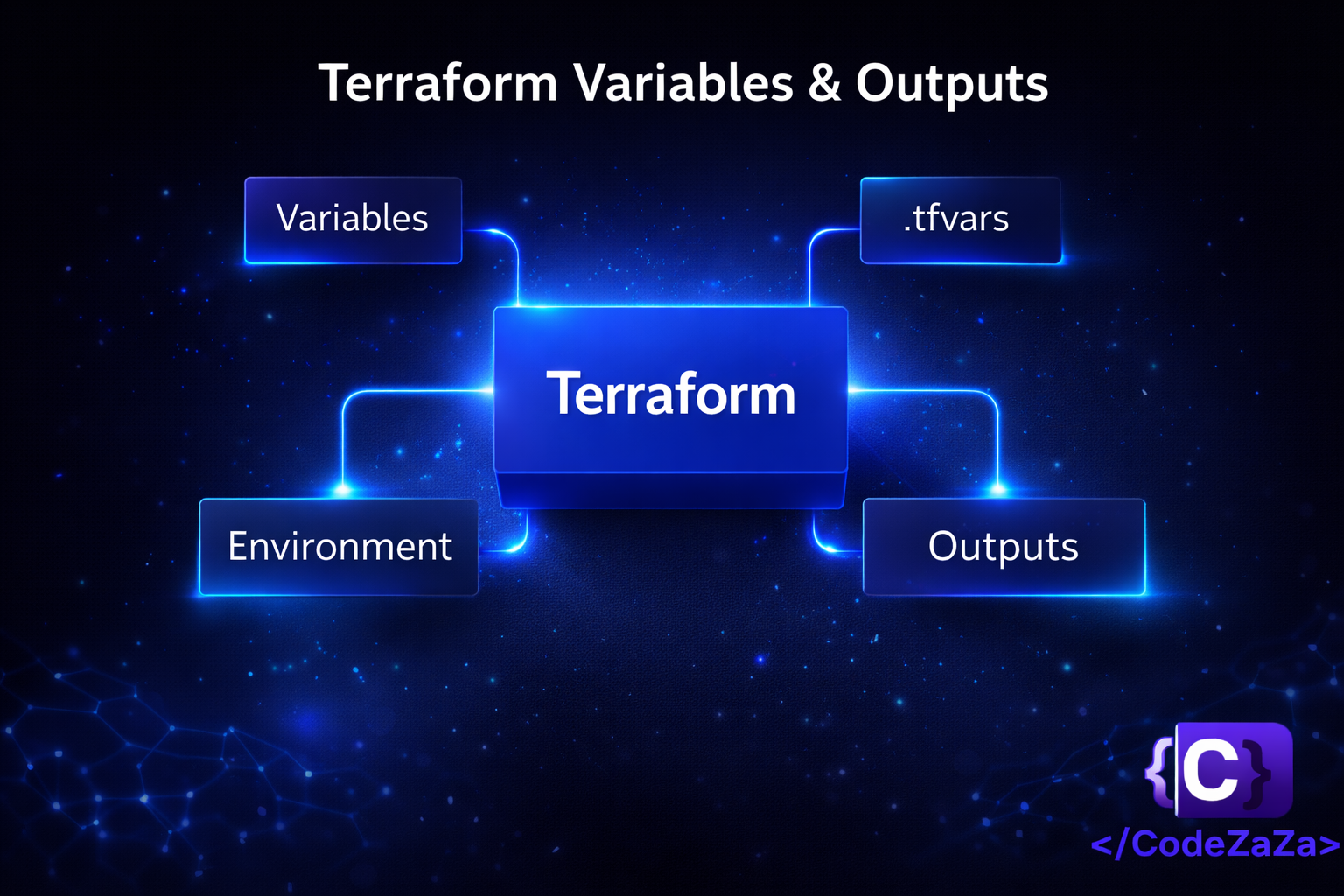
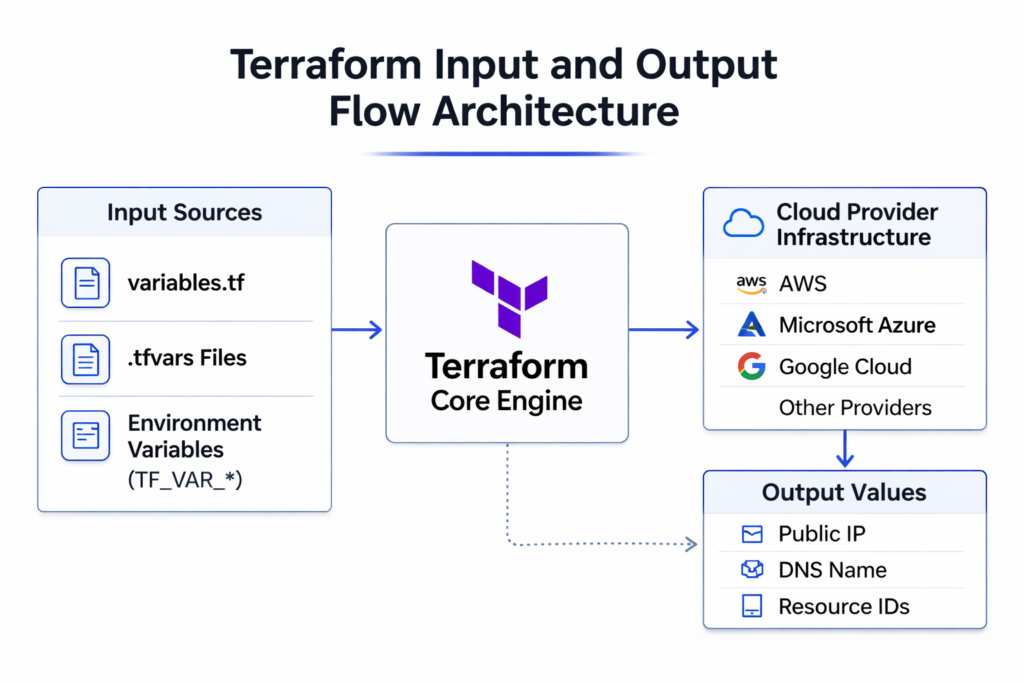
Modern Infrastructure as Code requires more than automation—it requires control, clarity, and governance. In Terraform, variables and outputs form the foundation of reusable, environment-aware, and secure infrastructure definitions.
When implemented correctly, input management enables teams to deploy identical infrastructure patterns across environments while maintaining configuration flexibility and compliance standards.
This article explores how Terraform manages inputs and outputs in a production-grade workflow.
1. Understanding Input Variables
Input variables allow Terraform configurations to accept external values instead of embedding static data inside configuration files. Think of them as the “parameters” of your infrastructure — just like a function in programming accepts arguments instead of hardcoding every value, Terraform variables allow your configuration to remain generic while the actual deployment values are supplied from outside.
This design ensures that infrastructure logic remains reusable while deployment parameters remain adaptable. Without input variables, you would need to write a completely separate Terraform file for every environment, every region, or every team — which quickly becomes unmanageable at scale.
A well-structured variable system separates infrastructure definition from environment-specific configuration.
For example:
variable "instance_type" {
  description = "Defines the EC2 instance type"
  type        = string
}
Here, instead of hardcoding “t2.micro” or “t3.large” directly into your resource block, you define a variable. The actual value is provided at runtime — meaning the same code can deploy a small instance in development and a large one in production without any code changes. This approach ensures:
- Reusability across dev, staging, and production — one codebase, multiple environments
- Reduced code duplication — no need to copy-paste configurations for minor differences
- Easier maintenance and auditing — changes to infrastructure logic happen in one place
- Improved modular architecture — modules can be shared across teams with different inputs
In enterprise environments, input variables are mandatory for standardized infrastructure provisioning.
2. Types of Variables
Terraform enforces type constraints to ensure that variables receive valid and predictable input values. Explicit typing strengthens configuration validation and reduces deployment-time errors. In other words, if a variable is supposed to hold a number, Terraform will reject it early if someone accidentally passes a string — catching mistakes before any real infrastructure is touched.
By defining types, teams prevent accidental misuse of variables and improve infrastructure reliability.
1.Primitive Types
Primitive types represent single, standalone values — the simplest form of data.
string – Text-based values (e.g., region names, resource identifiers)
variable "region" {
  type    = string
  default = "us-east-1"
}
number – Numeric values, including integers and floating-point numbers (e.g., disk size, port numbers)
variable "disk_size" {
  type    = number
  default = 100
}
bool – Boolean values for true/false flags (e.g., enabling or disabling features)
variable "enable_monitoring" {
  type    = bool
  default = true
}
2.Complex Types
Complex types allow structured, multi-value data to be passed as a single variable — useful when configuration requires grouped or related values.
list – An ordered collection of values of the same type
variable "availability_zones" {
  type    = list(string)
  default = ["us-east-1a", "us-east-1b", "us-east-1c"]
}
map – Key-value pairs where all values share the same type
variable "tags" {
  type = map(string)
  default = {
    Environment = "production"
    Project     = "web-app"
    Owner       = "platform-team"
  }
}
set – An unordered collection of unique values (duplicates are automatically removed)
variable "allowed_cidrs" {
  type    = set(string)
  default = ["10.0.0.0/16", "192.168.1.0/24"]
}
object – A structured group of named attributes with defined types, similar to a JSON object
variable "database_config" {
  type = object({
    engine         = string
    instance_class = string
    storage_gb     = number
    multi_az       = bool
  })
  default = {
    engine         = "postgres"
    instance_class = "db.t3.medium"
    storage_gb     = 100
    multi_az       = true
  }
}
tuple – A fixed-length sequence of values where each element can have a different type
variable "instance_config" {
  type    = tuple([string, number, bool])
  default = ["t3.micro", 20, true]
  # Represents: [instance_type, disk_size, enable_monitoring]
}
Why Strong Typing Is Important
Without type enforcement, a variable meant to hold a port number could accidentally receive a string like “eight-zero” instead of 80, and Terraform would only fail deep into the apply process — or worse, silently behave incorrectly. Strong typing prevents this by:
- Preventing configuration ambiguity – Variables have clear, predictable formats
- Enabling input validation before resource creation – Errors are caught at plan time, not apply time
- Supporting structured environment configurations – Complex data can be passed safely between modules
- Enhancing module reusability – Modules with well-defined types are easier to share and maintain
For example:
variable "allowed_ports" {
  type = list(number)
}
```

This tells Terraform: expect a list, and every item in that list must be a number. If someone passes `["80", "443"]` as strings instead of numbers, Terraform will flag it immediately:
```
Error: Invalid value for input variable

The given value is not suitable for var.allowed_ports declared at variables.tf:1,1-26:
element 0: a number is required.
Advanced Type Validation
Terraform also supports nested and optional types for more sophisticated validation:
variable "vpc_config" {
  type = object({
    cidr_block           = string
    enable_dns_hostnames = bool
    subnets = list(object({
      cidr_block        = string
      availability_zone = string
      public            = bool
    }))
  })
}
You can also use any when flexibility is needed, though this sacrifices type safety:
variable "custom_metadata" {
  type    = any
  default = {}
}
Type Constraints with Validation
Combine types with validation blocks for even stronger guarantees:
variable "instance_type" {
  type = string

  validation {
    condition     = contains(["t3.micro", "t3.small", "t3.medium"], var.instance_type)
    error_message = "Instance type must be t3.micro, t3.small, or t3.medium."
  }
}
By defining explicit types, teams enforce input validation before infrastructure is provisioned. This strengthens reliability and reduces operational risk.
Strong typing is particularly critical in production deployments where misconfiguration can cause downtime, security vulnerabilities, or compliance violations.
3. Managing Environment-Specific Configuration with .tfvars
Professional Terraform implementations separate infrastructure logic from environment-specific values. .tfvars files enable this separation cleanly and systematically.
The idea is straightforward: your Terraform code defines what infrastructure looks like, and .tfvars files define how it should be configured for each environment. You never change the core code — you only change which variable file you pass in.
Instead of modifying code for each environment, teams create dedicated configuration files:
- dev.tfvars
- staging.tfvars
- prod.tfvars
Each file contains the same variable names but with different values appropriate for that environment. For example, dev.tfvars might set a small instance type and minimal redundancy, while prod.tfvars sets a larger instance type with multi-AZ failover — all from the same Terraform codebase.
This model supports structured promotion of infrastructure across environments while maintaining consistent architecture.
Example:
terraform apply -var-file="prod.tfvars"This practice improves governance, traceability, and deployment predictability because every environment’s configuration is explicitly documented in version-controlled files.
4. Environment Variables for Automated Workflows
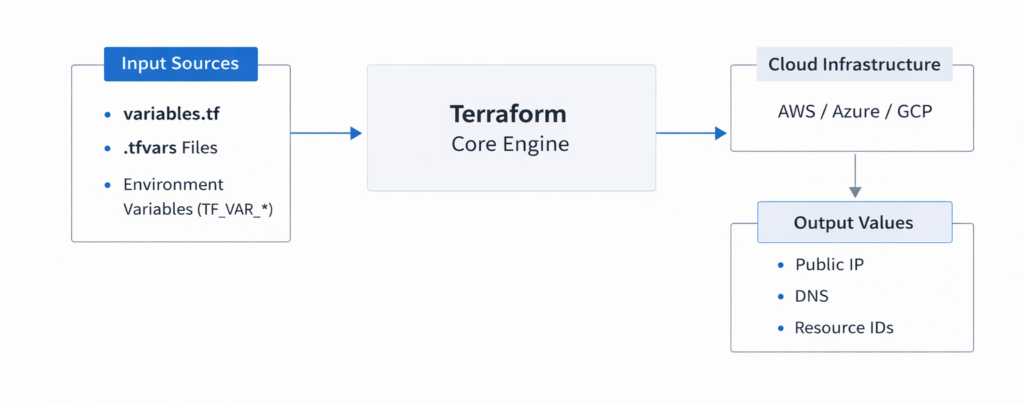
Terraform also supports variable injection using environment variables prefixed with TF_VAR_. This approach is particularly valuable in CI/CD pipelines and automated deployment systems where you cannot interactively supply values and where storing sensitive data in files would be a security risk.
When Terraform runs, it automatically reads any environment variable that starts with TF_VAR_ and maps it to the matching Terraform variable. So TF_VAR_instance_type maps directly to the instance_type variable in your configuration.
Example:
export TF_VAR_instance_type="t3.medium"This method:
- Eliminates hardcoded secrets — sensitive values like passwords or API keys are never written into files
- Prevents sensitive values from being stored in version control — environment variables exist only in the runtime environment
- Enables dynamic configuration in automated pipelines — CI/CD tools like GitHub Actions, GitLab CI, or Jenkins can inject these variables securely at runtime
In enterprise DevOps environments, environment variables are often integrated with secure secret management systems such as HashiCorp Vault, AWS Secrets Manager, or Azure Key Vault — which inject values at pipeline runtime without ever exposing them in logs or source code.
5. Output Values as Controlled Interfaces
Output values expose selected attributes of your infrastructure after a deployment completes. Think of them as the “return values” of your Terraform configuration — once resources are created, outputs give you a structured way to read back the information you need.
They provide visibility into deployed infrastructure and enable integration with other systems. Without outputs, you would have to manually look up resource details in the cloud console after every deployment.
Example:
output "public_ip" {
  value = aws_instance.example.public_ip
}
After running terraform apply, Terraform will print this value to the terminal, and it will also be accessible via terraform output public_ip. Other systems — scripts, pipelines, or other Terraform modules — can query this value programmatically.
Outputs serve as a controlled interface between infrastructure layers. Rather than exposing every detail of every resource, you deliberately choose which values to surface — keeping the interface clean and intentional.
They are commonly used to expose:
- Public IP addresses
- Load balancer endpoints
- Database connection strings
- Resource identifiers
In modular architectures, outputs from one module often become inputs for another, enabling structured infrastructure composition. For example, a networking module might output a VPC ID, and a compute module might accept that VPC ID as an input — allowing the two modules to work together without being tightly coupled.
6. Sensitive Variables and Security Considerations
Terraform allows variables and outputs to be marked as sensitive. This prevents confidential data — such as passwords, API tokens, or private keys — from appearing in CLI output during execution, keeping them out of terminal logs and CI/CD output streams.
Example:
variable "db_password" {
  type      = string
  sensitive = true
}
With sensitive = true, Terraform will display the value as (sensitive value) in plan and apply output instead of showing the actual content. This is an important safeguard, especially in shared environments where terminal output might be visible to multiple team members or logged by automated systems.
However, it is critical to understand a key limitation: sensitive values are still stored in the Terraform state file in plain text. The sensitive flag only controls what appears in CLI output — it does not encrypt the state. This means that anyone with access to the state file can still read those values.
Therefore, enterprise deployments must implement:
- Encrypted remote state backends — such as S3 with server-side encryption or Terraform Cloud
- Access-controlled storage — only authorized users and systems should be able to read the state
- Strict IAM policies — least-privilege access to state storage
- Secure state management workflows — auditing, locking, and versioning of state files
Security in Infrastructure as Code is not optional; it must be architected deliberately. Treating the state file as a sensitive artifact — with the same care as a secrets vault — is a foundational requirement for any production Terraform deployment.
Conclusion
Effective input management and output configuration are central to scalable Infrastructure as Code adoption. By leveraging structured variables, environment-specific configuration files, controlled outputs, and secure handling of sensitive data, organizations can build modular, compliant, and production-ready Terraform workflows.
Understanding not just how these features work, but why they are designed this way, is what separates a functional Terraform setup from a truly maintainable and enterprise-grade one. Each concept — from type enforcement to .tfvars separation to sensitive state management — exists to solve a real operational problem that emerges at scale.
A disciplined approach to variables and outputs directly enhances infrastructure reliability, operational consistency, and security posture.
