
Introduction
Infrastructure as Code has transformed how modern teams build and manage cloud environments. Instead of manually configuring networks, servers, and security settings through the cloud console, engineers can define infrastructure using code. This approach ensures consistency, repeatability, and faster deployments. One of the most powerful tools for this purpose is Terraform.
In this project, we build a complete AWS infrastructure using Terraform modules. The goal is to create reusable components that follow real-world DevOps practices. Rather than placing all infrastructure in a single configuration file, we split the infrastructure into modules. This allows each component to be reused, maintained, and scaled independently.
The infrastructure we create consists of a Virtual Private Cloud (VPC), public and private subnets, an Internet Gateway, route tables, and an EC2 instance. These resources are organized into separate Terraform modules. The root configuration then connects the modules together to deploy the full infrastructure.
Understanding Terraform Modules
Terraform modules allow you to organize infrastructure into logical components. Instead of writing one large Terraform configuration, modules enable engineers to create smaller reusable units. Each module is responsible for provisioning a specific piece of infrastructure.
In this project, we create two modules. The first module manages networking resources such as the VPC and subnets. The second module handles compute resources by launching an EC2 instance.
By separating infrastructure into modules, the configuration becomes easier to maintain and reuse. For example, the same VPC module could be reused in multiple projects or environments.
Project Architecture
The architecture created in this project includes a custom VPC with both public and private networking. An Internet Gateway allows resources in the public subnet to access the internet. A route table is configured to route traffic from the public subnet through the Internet Gateway. Finally, an EC2 instance is launched inside the public subnet using the EC2 module.
This design reflects a common pattern used in production environments where networking infrastructure is separated from compute resources.
Project Directory Structure
A clean directory structure helps maintain Terraform projects as they grow. The following structure organizes the root configuration and modules separately.
terraform-modules-project
│
├── main.tf
├── provider.tf
├── variables.tf
├── terraform.tfvars
├── outputs.tf
│
└── modules
    │
    ├── vpc
    │   ├── main.tf
    │   ├── variables.tf
    │   └── outputs.tf
    │
    └── ec2
        ├── main.tf
        ├── variables.tf
        └── outputs.tf
The root directory contains the main configuration that connects the modules. Each module folder contains its own Terraform files that define resources, variables, and outputs.
Configuring the AWS Provider
Before provisioning resources, Terraform must know which cloud provider to use. This is configured using the AWS provider block.
provider.tf
provider "aws" {
  region = "ap-south-1"
}
This configuration specifies that the infrastructure will be deployed in the AWS Mumbai region.
Defining Variables in the Root Module
Variables allow Terraform configurations to remain flexible and reusable. Instead of hardcoding values directly into the configuration, variables can be defined and later supplied with different values depending on the environment.
variables.tf
variable "vpc_cidr" {}
variable "public_subnet_cidr" {}
variable "private_subnet_cidr" {}
variable "availability_zone" {}

variable "instance_type" {}
variable "ami" {}
These variables will later be assigned values in a separate file.
Supplying Variable Values
The terraform.tfvars file provides actual values for the variables defined earlier. This separation helps keep the configuration flexible and easier to manage.
terraform.tfvars
vpc_cidr            = "10.0.0.0/16"
public_subnet_cidr  = "10.0.1.0/24"
private_subnet_cidr = "10.0.2.0/24"

availability_zone = "ap-south-1a"

instance_type = "t3.micro"

ami = "ami-0e670eb768a5fc3d4"
Using a .tfvars file also makes it easier to create multiple environments by simply switching configuration values.
Creating the VPC Module
The VPC module is responsible for provisioning the networking infrastructure. It creates the VPC, subnets, Internet Gateway, route table, and route table associations.
modules/vpc/variables.tf
variable "vpc_cidr" {}
variable "public_subnet_cidr" {}
variable "private_subnet_cidr" {}
variable "availability_zone" {}
modules/vpc/main.tf
resource "aws_vpc" "main" {
  cidr_block = var.vpc_cidr

  tags = {
    Name = "terraform-vpc"
  }
}

resource "aws_subnet" "public" {
  vpc_id                  = aws_vpc.main.id
  cidr_block              = var.public_subnet_cidr
  availability_zone       = var.availability_zone
  map_public_ip_on_launch = true
}

resource "aws_subnet" "private" {
  vpc_id            = aws_vpc.main.id
  cidr_block        = var.private_subnet_cidr
  availability_zone = var.availability_zone
}

resource "aws_internet_gateway" "igw" {
  vpc_id = aws_vpc.main.id
}

resource "aws_route_table" "public_rt" {
  vpc_id = aws_vpc.main.id
}

resource "aws_route" "internet_access" {
  route_table_id         = aws_route_table.public_rt.id
  gateway_id             = aws_internet_gateway.igw.id
  destination_cidr_block = "0.0.0.0/0"
}

resource "aws_route_table_association" "public_assoc" {
  subnet_id      = aws_subnet.public.id
  route_table_id = aws_route_table.public_rt.id
}
modules/vpc/outputs.tf
output "vpc_id" {
  value = aws_vpc.main.id
}

output "public_subnet_ids" {
  value = [aws_subnet.public.id]
}

output "private_subnet_ids" {
  value = [aws_subnet.private.id]
}
These outputs allow other modules to reference the networking resources created by this module.
Creating the EC2 Module
The EC2 module provisions the compute resource and security group required for the instance.
modules/ec2/variables.tf
variable "vpc_id" {}
variable "subnet_id" {}
variable "instance_type" {}
variable "ami" {}
variable "key_name" {}
modules/ec2/main.tf
resource "aws_security_group" "ec2_sg" {
  name   = "ec2-security-group"
  vpc_id = var.vpc_id

  ingress {
    from_port   = 22
    to_port     = 22
    protocol    = "tcp"
    cidr_blocks = ["0.0.0.0/0"]
  }

  ingress {
    from_port   = 80
    to_port     = 80
    protocol    = "tcp"
    cidr_blocks = ["0.0.0.0/0"]
  }

  egress {
    from_port   = 0
    to_port     = 0
    protocol    = "-1"
    cidr_blocks = ["0.0.0.0/0"]
  }
}

resource "aws_instance" "web" {
  ami           = var.ami
  instance_type = var.instance_type
  subnet_id     = var.subnet_id

  key_name = var.key_name

  vpc_security_group_ids = [aws_security_group.ec2_sg.id]

  tags = {
    Name = "terraform-module-instance"
  }
}
modules/ec2/outputs.tf
output "instance_id" {
  value = aws_instance.web.id
}

output "public_ip" {
  value = aws_instance.web.public_ip
}
Connecting the Modules in the Root Configuration
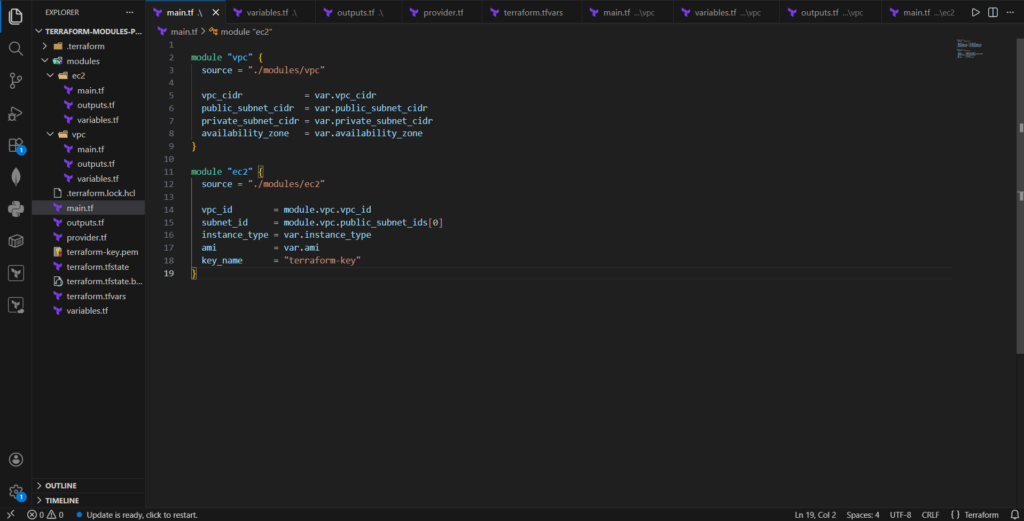
The root configuration connects the networking and compute modules together.
main.tf
module "vpc" {
  source = "./modules/vpc"

  vpc_cidr            = var.vpc_cidr
  public_subnet_cidr  = var.public_subnet_cidr
  private_subnet_cidr = var.private_subnet_cidr
  availability_zone   = var.availability_zone
}

module "ec2" {
  source = "./modules/ec2"

  vpc_id        = module.vpc.vpc_id
  subnet_id     = module.vpc.public_subnet_ids[0]
  instance_type = var.instance_type
  ami           = var.ami
  key_name      = "terraform-key"
}
Here, the EC2 module receives the VPC ID and subnet ID from the VPC module outputs. This demonstrates how modules can interact with each other to form a complete infrastructure deployment.
Deploying the Infrastructure
Terraform makes deployment straightforward through a series of commands.
Initialize Terraform:
terraform init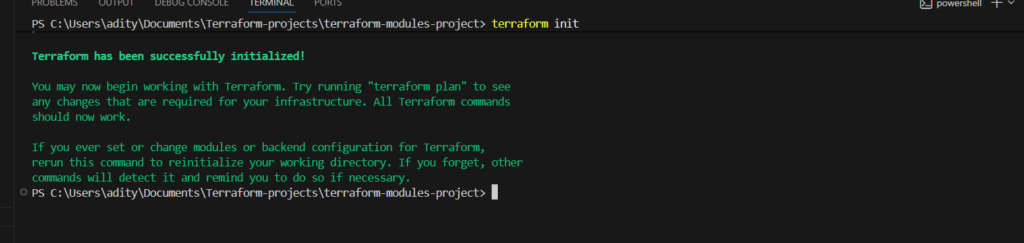
Preview the execution plan:
terraform plan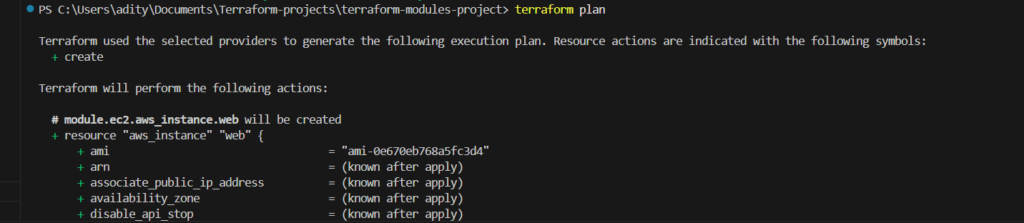
Apply the infrastructure:
terraform apply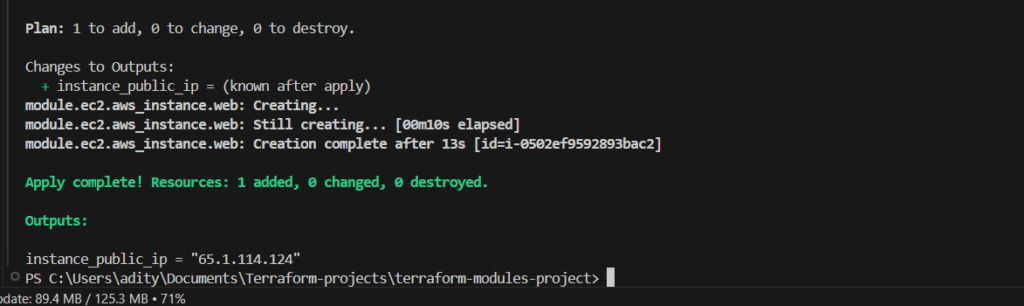
Terraform will automatically provision all required resources in AWS.
Accessing the EC2 Instance
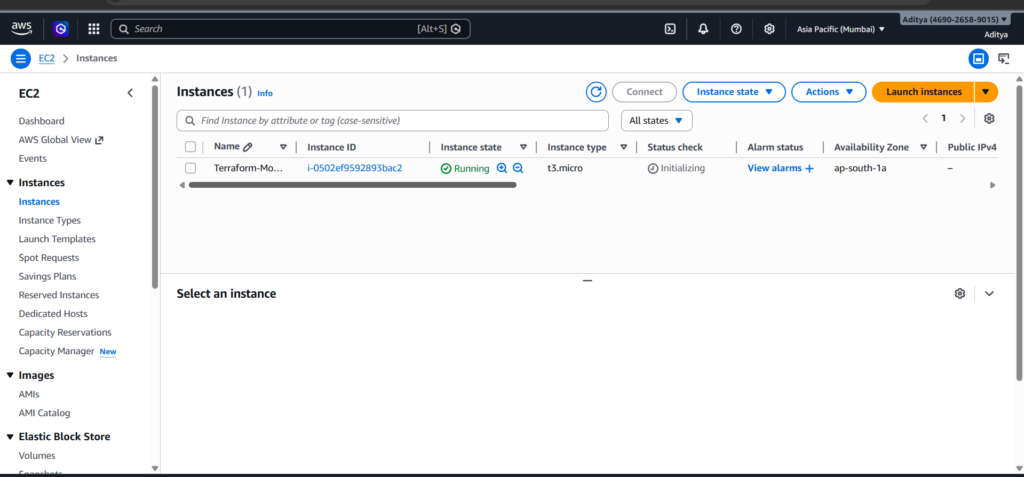
Once deployment completes, Terraform outputs the public IP address of the EC2 instance. You can connect using SSH and the key pair used during instance creation.
ssh -i terraform-key.pem ec2-user@PUBLIC_IPDepending on the AMI used, the default SSH username may vary. Amazon Linux uses ec2-user, while Ubuntu typically uses ubuntu.
Conclusion
Terraform modules play a critical role in building scalable and maintainable infrastructure. By dividing infrastructure into reusable modules, teams can keep configurations organized and promote code reuse across multiple environments.
In this project, we created a modular AWS infrastructure using Terraform. The architecture included a custom VPC, public and private subnets, internet connectivity through an Internet Gateway, and an EC2 instance deployed within the network. Each component was encapsulated within its own module and then connected through the root configuration.
This modular approach reflects how infrastructure is designed in professional DevOps environments. As infrastructure grows more complex, modular Terraform configurations become essential for maintaining clarity, scalability, and reliability.
