

Introduction
In today’s data-driven world, losing important information can disrupt entire systems. Therefore, every organization needs a strong backup and disaster recovery strategy. In this project, we demonstrate how to create databases on an AWS EC2 Ubuntu instance, perform backups using MySQL, simulate a disaster, and restore everything successfully.
As a result, this process ensures data safety and supports business continuity during unexpected failures.
Setting Up the Environment on EC2
To begin with, we launched an Ubuntu-based EC2 instance and installed MySQL Server. After updating the system, we installed the required package and started the MySQL service.
sudo apt update
sudo apt install mysql-server -y
sudo systemctl start mysql
sudo systemctl enable mysql
After that, we accessed MySQL using administrative privileges.
sudo mysqlCreating Databases and Tables
Next, we created two databases named company_db and school_db. These databases represent different domains, which helps simulate a real-world scenario.
CREATE DATABASE company_db;
CREATE DATABASE school_db;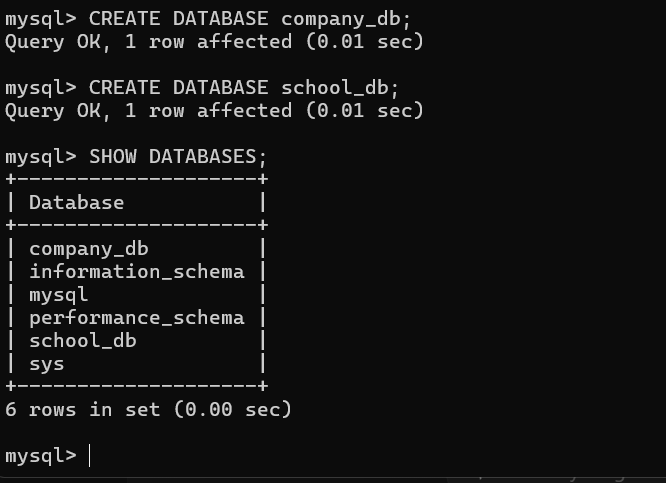
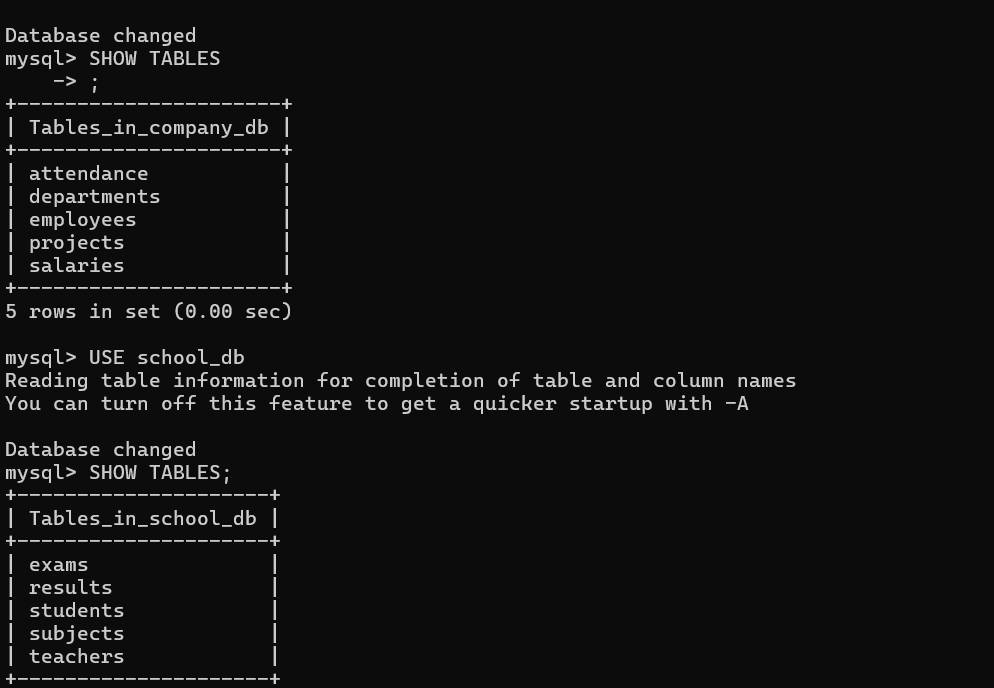
Then, we selected the databases and created five tables in each. For instance, the company_db contains tables such as employees, departments, salaries, projects, and attendance.
USE company_db;

CREATE TABLE employees (
    id INT PRIMARY KEY,
    name VARCHAR(50),
    department VARCHAR(50)
);

CREATE TABLE departments (
    dept_id INT PRIMARY KEY,
    dept_name VARCHAR(50)
);

CREATE TABLE salaries (
    emp_id INT,
    salary INT
);

CREATE TABLE projects (
    project_id INT PRIMARY KEY,
    project_name VARCHAR(50)
);

CREATE TABLE attendance (
    emp_id INT,
    date DATE,
    status VARCHAR(10)
);
Similarly, we created tables in the school_db database.
USE school_db;

CREATE TABLE students (
    id INT PRIMARY KEY,
    name VARCHAR(50),
    class VARCHAR(20)
);

CREATE TABLE teachers (
    id INT PRIMARY KEY,
    name VARCHAR(50),
    subject VARCHAR(50)
);

CREATE TABLE subjects (
    subject_id INT PRIMARY KEY,
    subject_name VARCHAR(50)
);

CREATE TABLE exams (
    exam_id INT PRIMARY KEY,
    subject_id INT,
    date DATE
);

CREATE TABLE results (
    student_id INT,
    marks INT
);
Inserting Sample Data
After creating the tables, we inserted sample records to make the backup meaningful. Without data, a backup only contains structure, which reduces its usefulness.
USE company_db;
INSERT INTO employees VALUES (1, 'Aditya', 'IT');USE school_db;
INSERT INTO students VALUES (1, 'Rahul', '10th');
Consequently, both databases now contain actual data that can be validated during recovery.
Performing Database Backup
Once the data was ready, we performed the backup using the mysqldump utility. This tool exports the complete database, including tables and records, into a .sql file.
sudo mysqldump company_db > company_db.sql
sudo mysqldump school_db > school_db.sql
At this point, we successfully created backup files that can restore the databases whenever required.

Simulating Disaster by Deleting Databases
To test the recovery process, we intentionally deleted both databases. This step simulates real-world failures such as accidental deletion or system crashes.
DROP DATABASE company_db;
DROP DATABASE school_db;
After executing these commands, the databases were no longer available.

Restoring Databases from Backup
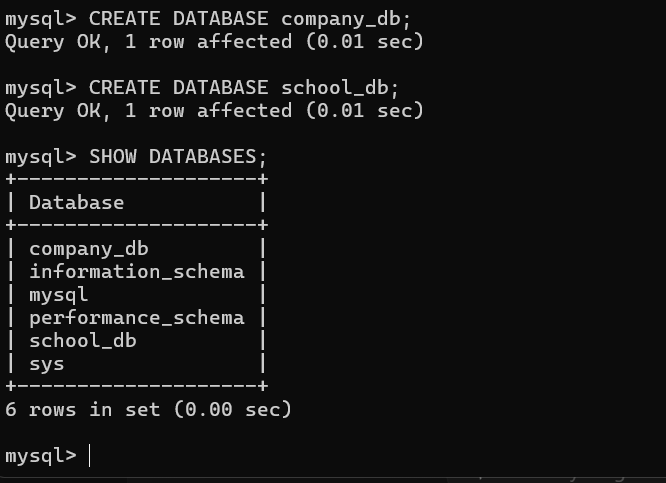
Following the simulated disaster, we restored both databases using the backup files. First, we recreated empty databases, and then we imported the backup data.
CREATE DATABASE company_db;
CREATE DATABASE school_db;
sudo mysql company_db < company_db.sql
sudo mysql school_db < school_db.sql
As expected, the restoration process brought back all tables and data.

Verification of Recovery
Finally, we verified the recovery process by checking the tables and their data.
USE company_db;
SHOW TABLES;
SELECT * FROM employees;USE school_db;
SHOW TABLES;
SELECT * FROM students;
Thus, the successful output confirmed that both structure and data were restored correctly.
Conclusion
To summarize, this project demonstrates a complete backup and disaster recovery workflow using MySQL on an AWS EC2 instance. First, we created databases and tables, then inserted data, and performed backups using mysqldump. After simulating a failure by deleting the databases, we restored them successfully.
Overall, this approach ensures data reliability and reduces downtime. Moreover, it highlights the importance of regular backups in real-world systems.
Key Takeaways
Backup and disaster recovery play a crucial role in maintaining system stability. Although failures can occur unexpectedly, a proper backup strategy allows quick recovery. Therefore, every system should implement secure and regular backup mechanisms.
