
Introduction
Modern cloud systems demand more than just regular backups. Storing backups inside the same AWS account creates a hidden risk. If that account is compromised, deleted, or misconfigured, both production data and backups can be lost at the same time. A cross-account backup strategy in AWS solves this problem by introducing isolation between environments.
This guide explains how to implement cross-account backup using AWS Backup, IAM policies, and KMS encryption. It walks through the setup process, explains the architecture, and highlights key lessons learned during implementation.
Understanding Cross-Account Backup in AWS
Cross-account backup in AWS allows you to copy recovery points from a source account to a separate destination account. This approach ensures that even if the primary account fails, the backup data remains safe and recoverable.
The architecture consists of two AWS accounts. The first account acts as the source, where resources such as EC2 instances or EBS volumes are backed up. The second account acts as the backup account, which stores the copied backups in a dedicated backup vault. AWS Backup handles the orchestration, while AWS KMS ensures encryption and secure access.
This separation is essential for building a disaster recovery strategy that can withstand account-level failures.
Setting Up the Backup Vault in the Destination Account
The process begins in the destination account. A backup vault must be created to store incoming recovery points. This vault acts as the secure storage location for all cross-account backups.
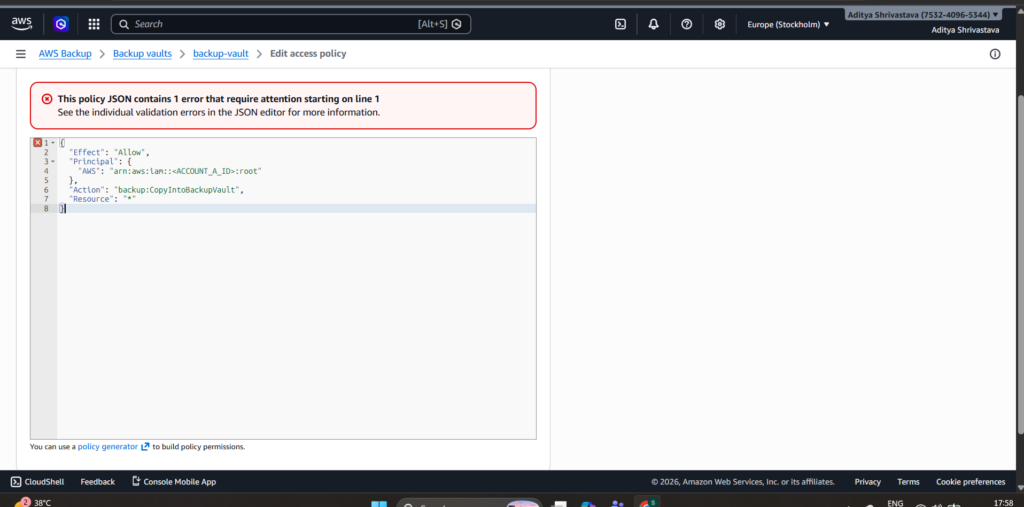
After creating the vault, access control becomes critical. By default, no external account can write into this vault. To enable cross-account backup, a vault access policy must be configured.
{
  "Version": "2012-10-17",
  "Statement": [
    {
      "Effect": "Allow",
      "Principal": {
        "AWS": "arn:aws:iam::<ACCOUNT_A_ID>:root"
      },
      "Action": "backup:CopyIntoBackupVault",
      "Resource": "*"
    }
  ]
}
This policy explicitly allows the source account to copy backups into the destination vault. Without this configuration, the copy operation will fail due to insufficient permissions.
Configuring KMS for Secure Encryption
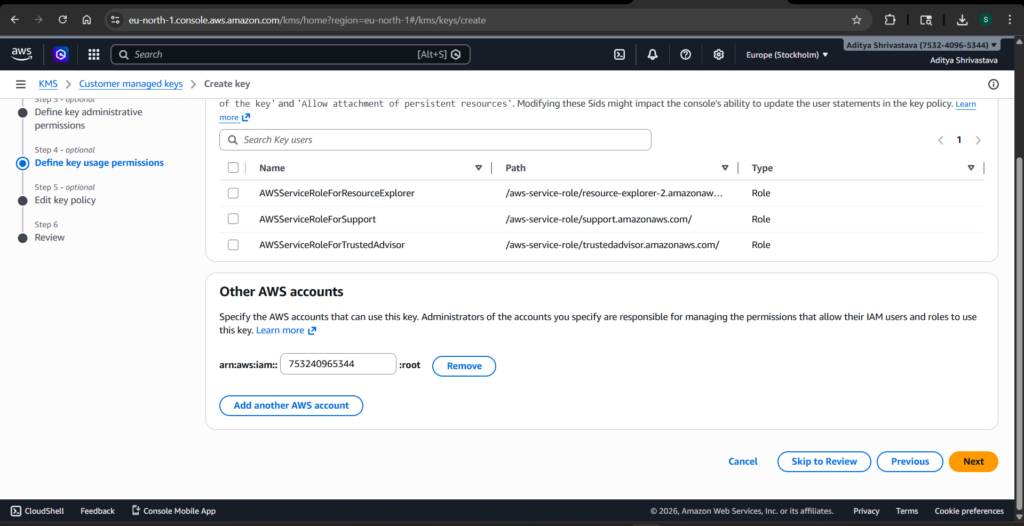
Encryption plays a central role in AWS Backup. When copying backups across accounts, AWS requires explicit permission to use the KMS key in the destination account.
A KMS key must be created in the destination account and associated with the backup vault. The key policy must then allow the source account to use the key for encryption and decryption operations.
{
  "Sid": "AllowAccountACrossAccountBackup",
  "Effect": "Allow",
  "Principal": {
    "AWS": "arn:aws:iam::<ACCOUNT_A_ID>:root"
  },
  "Action": [
    "kms:Encrypt",
    "kms:Decrypt",
    "kms:ReEncrypt*",
    "kms:GenerateDataKey*",
    "kms:DescribeKey"
  ],
  "Resource": "*"
}
This configuration ensures that AWS Backup in the source account can securely encrypt data before storing it in the destination account. Missing or incorrect KMS permissions are one of the most common reasons for cross-account backup failures.
Creating the Backup Plan in the Source Account
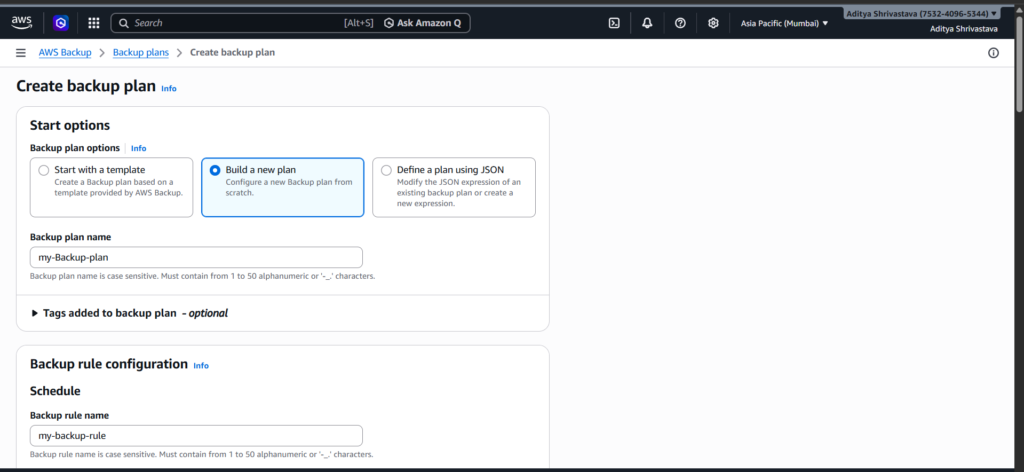
With the destination account prepared, the next step is to configure the backup plan in the source account. AWS Backup allows you to define backup schedules, retention policies, and lifecycle rules.
A backup plan typically includes a daily or weekly schedule, along with a retention period that defines how long backups are stored. To enable cross-account backup, a copy rule must be added to the backup plan.
The copy rule specifies the destination account, the target backup vault, and the region where the backup will be stored. This rule ensures that every backup created in the source account is automatically copied to the destination account.
Assigning Resources for Backup
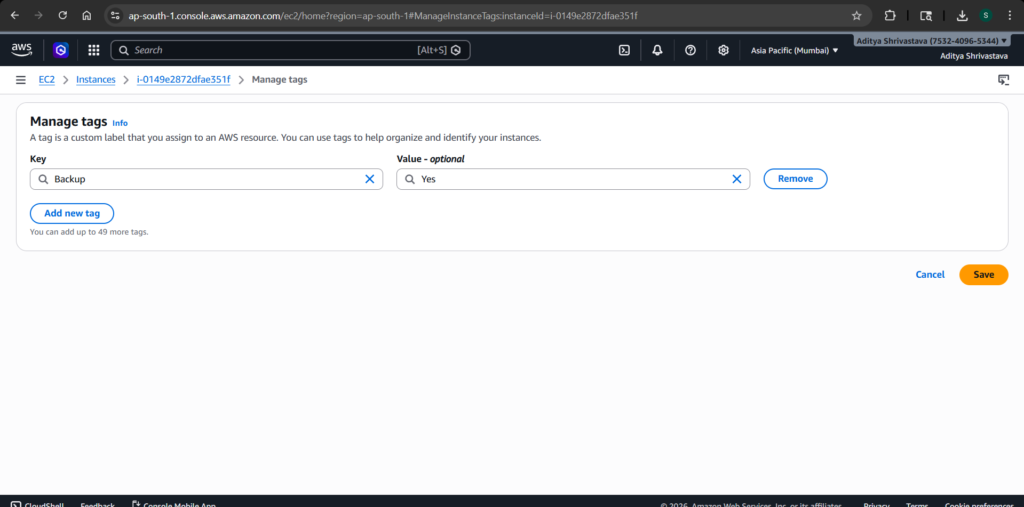
AWS Backup does not automatically include resources unless they are explicitly assigned. Resources can be selected manually or through tags. Tag-based selection is often preferred because it allows dynamic inclusion of resources.
For example, applying a tag such as Backup = Yes to an EC2 instance ensures that it is included in the backup plan. This approach simplifies management and reduces the risk of missing critical resources.
Running and Verifying the Backup Process
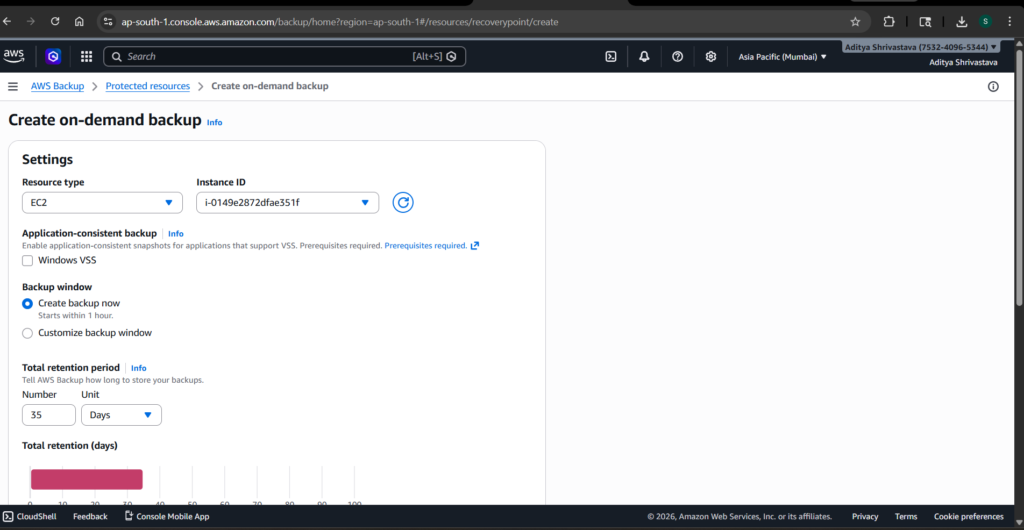
After configuring the backup plan, a test backup can be triggered manually. AWS Backup creates a backup job, followed by a copy job if the cross-account rule is correctly configured.
Verification is a crucial step in this process. The backup job should complete successfully in the source account. The copy job should also complete without errors. Finally, the recovery point should appear in the destination account’s backup vault.
If the recovery point is not visible, the issue is usually related to permissions. In most cases, the root cause lies in either the vault access policy or the KMS key policy.
Observations from the Implementation
During the implementation, one key limitation became apparent. Cross-account backup requires two distinct AWS accounts. Attempting to configure cross-account backup within the same account does not provide isolation and may lead to unexpected behavior in copy jobs.
Even though the setup steps can be completed in a single account, the true benefits of cross-account backup only emerge when separate accounts are used. This distinction is important for both practical implementation and architectural understanding.
Why Cross-Account Backup Improves Disaster Recovery
A cross-account backup strategy significantly strengthens disaster recovery capabilities. It introduces a layer of protection that goes beyond traditional backup methods.
By storing backups in a separate account, organizations protect themselves from accidental deletions, insider threats, and account compromises. Even if the primary account is fully compromised, the backup account remains unaffected.
This approach also aligns with best practices for cloud security and compliance. Many regulatory frameworks recommend or require isolation between production and backup environments.
Conclusion
Cross-account backup in AWS is not just a feature; it is a critical design decision for building resilient systems. By combining AWS Backup, IAM policies, and KMS encryption, it is possible to create a secure and isolated backup architecture.
While the setup requires careful configuration, the benefits far outweigh the effort. A properly implemented cross-account backup strategy ensures that data remains protected, recoverable, and resilient against failures.
Understanding these concepts and applying them correctly is an essential step toward becoming a skilled DevOps engineer.
