
A beginner-friendly guide to connecting Docker containers using custom networks. Learn how to deploy a web application with MySQL database without Docker Compose.
Introduction
Recently, I worked on a common problem that many beginners face: getting Docker containers to communicate with each other. The task was to deploy a web application that uses a MySQL database, but the app couldn’t connect to the database when both were running in separate containers.
The Problem: By default, Docker containers are like isolated rooms with no doors between them. When you run an app in one container and MySQL in another, they can’t find or talk to each other. This is why we need Docker networks!
In this guide, I’ll show you step-by-step how to solve this problem using Docker networks. We’ll create a private network that lets our app container and database container communicate securely, all without using Docker Compose.

Understanding Docker Networks
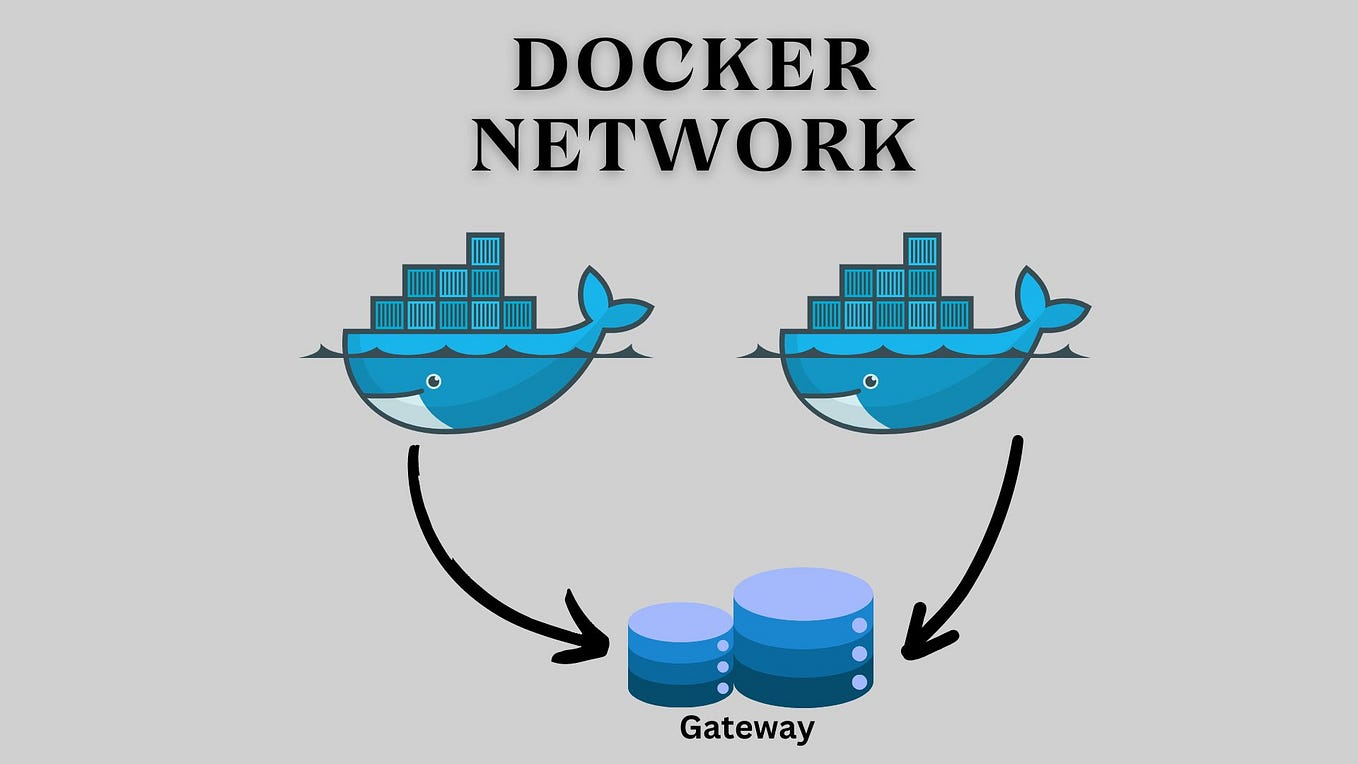
Think of Docker networks as virtual bridges that connect containers. Without a network, containers are like houses without roads between them – they can’t visit each other!
Simple Analogy: Imagine two friends living in different houses. Without a road connecting their houses, they can’t visit each other. A Docker network is like building a private road between their houses so they can communicate.
There are different types of Docker networks, but for this task, we’ll use a bridge network. This creates a private network where only our containers can talk to each other.
Why Not Use Docker Compose? Docker Compose is a great tool that makes multi-container apps easier to manage. But learning to do it manually first helps you understand what’s happening behind the scenes. This knowledge is valuable when things don’t work as expected.
Step-by-Step Solution
Create Our Sample Application
First, let’s create a simple web application that needs to connect to a MySQL database. Here’s a basic Python Flask app:
Simple Web App (app.py):
from flask import Flask
import mysql.connector
import os

app = Flask(__name__)

# Database configuration
db_config = {
    ‘host’: os.environ.get(‘DB_HOST’, ‘mysql-db’),
    ‘user’: os.environ.get(‘DB_USER’, ‘app_user’),
    ‘password’: os.environ.get(‘DB_PASSWORD’, ‘password123’),
    ‘database’: os.environ.get(‘DB_NAME’, ‘appdb’)
}

@app.route(‘/’)
def home():
    try:
        # Try to connect to MySQL
        connection = mysql.connector.connect(**db_config)
        cursor = connection.cursor()
        cursor.execute(“SELECT ‘Connected to MySQL!’ as message”)
        result = cursor.fetchone()
        cursor.close()
        connection.close()
        return f‘<h1>Success!</h1><p>{result[0]}</p>’
    except Exception as e:
        return f‘<h1>Error</h1><p>Could not connect to MySQL: {str(e)}</p>’

if __name__ == ‘__main__’:
    app.run(host=‘0.0.0.0’, port=5000)
This app tries to connect to MySQL and shows whether it succeeded or failed. The key part is the host: 'mysql-db' line – this is the name our MySQL container will have.
Create a Dockerfile for Our App
We need a Dockerfile to build our application container:
Dockerfile for Web App:
# Start with Python base image
FROM python:3.9-slim

# Set working directory
WORKDIR /app

# Copy requirements and install dependencies
COPY requirements.txt .
RUN pip install –no-cache-dir -r requirements.txt

# Copy the application code
COPY . .

# Expose port 5000
EXPOSE 5000

# Command to run the app
CMD [“python”, “app.py”]
Requirements File (requirements.txt):
Flask==2.3.2
mysql-connector-python==8.0.33
Create a Docker Network
This is the most important step! We’ll create a custom network that both containers will join:
Create Our Docker Network:
# Create a bridge network named “app-network”
docker network create app-network

# Check that it was created successfully
docker network ls
This command creates a private network called “app-network”. Any containers we add to this network can communicate with each other using their container names.
Why This Matters: Without this network, our app container has no way to find the MySQL container. With the network, they can find each other by name (like how you can call a friend by their name instead of needing their exact address).
Run the MySQL Container on the Network
Now let’s start the MySQL container and connect it to our network:
Start MySQL Container:
# Run MySQL container on our custom network
docker run -d \
  –name mysql-db \
  –network app-network \
  -e MYSQL_DATABASE=appdb \
  -e MYSQL_USER=app_user \
  -e MYSQL_PASSWORD=password123 \
  -e MYSQL_ROOT_PASSWORD=rootpassword \
  -p 3306:3306 \
  mysql:8.0
Notice the --network app-network part. This tells Docker: “Put this container on the app-network so it can talk to other containers there.
Container Names as Hostnames: On a Docker network, containers can find each other using their container names. That’s why our app uses “mysql-db” as the hostname – that’s the name we gave our MySQL container!
Build and Run the App Container on the Same Network
Now let’s build our app and run it on the same network:
Build the App Image:
# Build the Docker image for our app
docker build -t my-web-app .
Run the App Container:
# Run the app container on the same network
docker run -d \
  –name web-app \
  –network app-network \
  -p 5000:5000 \
  my-web-app
Our app container is now on the same network as the MySQL container. They can now communicate!
Test It Out: Open your browser and go to http://localhost:5000. You should see “Success! Connected to MySQL!” If you see an error, the containers aren’t communicating properly.
Verify the Connection
Let’s make sure everything is working correctly:
Check Running Containers:
# See all running containers
docker ps

# Check the app logs
docker logs web-app

# Check the network details
docker network inspect app-network
Test the Connection Manually:
# Get into the app container and test the connection
docker exec -it web-app python -c ”
import mysql.connector
try:
    conn = mysql.connector.connect(
        host=’mysql-db’,
        user=’app_user’,
        password=’password123′,
        database=’appdb’
    )
    print(‘Connection successful!’)
    conn.close()
except Exception as e:
    print(f’Connection failed: {e}’)
“
What If We Didn’t Use a Network?
To understand why networks are important, let’s see what happens without one:
# Run MySQL without our custom network
docker run -d –name mysql-alone -p 3307:3306 mysql:8.0

# Run app without network (it will fail to connect!)
docker run -d –name app-alone -p 5001:5000 my-web-app
The app will show an error because it can’t find “mysql-db”. Without a shared network, containers are isolated and can’t communicate.
The Key Lesson: Docker containers are isolated by default. You must explicitly connect them using a network if you want them to communicate. This isolation is actually a security feature – containers can’t talk to each other unless you allow it.
All Commands in One Place
Here’s everything you need to deploy the app with MySQL:
Setup Commands:
# 1. Create the network
docker network create app-network

# 2. Run MySQL on the network
docker run -d –name mysql-db –network app-network \
  -e MYSQL_DATABASE=appdb -e MYSQL_USER=app_user \
  -e MYSQL_PASSWORD=password123 -e MYSQL_ROOT_PASSWORD=rootpassword \
  -p 3306:3306 mysql:8.0

# 3. Build the app
docker build -t my-web-app .

# 4. Run the app on the same network
docker run -d –name web-app –network app-network \
  -p 5000:5000 my-web-app
Verification Commands:
# Check everything is running
docker ps

# Check app logs
docker logs web-app

# Inspect the network
docker network inspect app-network

# Clean up when done
docker stop web-app mysql-db
docker rm web-app mysql-db
docker network rm app-network
Real-World Applications
This simple example demonstrates a pattern used in real production environments:
- Microservices: Different services (users, products, orders) running in separate containers that need to communicate
- Development Environments: Running your app with its database for testing
- CI/CD Pipelines: Running tests in isolated containers that need to talk to test databases
- AWS/Cloud Deployments: Many cloud applications use this same pattern, just at a larger scale
AWS Free Tier Note: This setup runs perfectly on an AWS EC2 Free Tier instance. You can deploy this exact configuration to AWS, and it will work the same way as on your local machine.
Final Thoughts
This task helped me understand Docker networking in a very practical way. I now see Docker networking as building a private neighborhood for containers. Every container lives in its own house, completely isolated by default, which keeps applications secure and predictable. However, isolation alone isn’t enough—real applications need to communicate. Docker networks act like planned roads that allow selected containers to talk to each other while remaining invisible to the outside world.
When I manually connected the application container to the MySQL container through a Docker network, the concept finally clicked. Instead of relying on IP addresses that can change, containers communicate using service names, which makes the setup far more reliable and scalable. This showed me how Docker abstracts complex networking details and makes container communication both simple and powerful.
The most satisfying moment was seeing “Success! Connected to MySQL!” appear in the browser. That single message confirmed that the containers were no longer isolated silos—they were actively communicating over the network I had configured. It transformed Docker networking from a theoretical concept into something real and tangible.
With this foundation, it’s now clear why tools like Docker Compose and Kubernetes exist. They don’t replace these concepts—they build on them. Compose automates the creation of networks and service connections, while Kubernetes scales the same ideas to handle large, distributed systems. Understanding Docker networking at this level gives me confidence that when I move to these advanced tools, I’ll know what’s happening under the hood, not just how to run commands.
Conclusion
This project gave me a strong hands-on understanding of how Docker containers communicate using networks. Instead of treating containers as isolated runtime units, I learned how Docker networking enables structured, secure communication between services like an application and a database. Building and connecting containers through a custom network helped me clearly visualize how real-world containerized applications are designed.
By successfully connecting the application container to MySQL, I gained practical insight into concepts such as container isolation, service discovery, and internal networking. The moment the application confirmed a successful database connection validated both my configuration and my understanding of Docker’s networking model.
More importantly, this project established a solid foundation for advanced container orchestration tools. Docker Compose and Kubernetes rely on the same core networking principles, and understanding them at this level makes it easier to reason about scalability, reliability, and automation in larger systems. Overall, this project strengthened my confidence in working with containerized environments and prepared me to take on more complex DevOps workflows in the future.
