
Modern software problems rarely stem from missing features.More often, they stem from inconsistent environments. In this Docker Compose MERN guide, I document how I containerized a three-tier web application—React frontend, Node.js backend, and MongoDB database—to eliminate manual setup and environment drift.
Why Manual Setup Fails at Scale
Developers install and maintain Node.js, npm, and MongoDB on every local machine. Keeping versions aligned across different operating systems quickly becomes difficult.
Running the application requires multiple terminals to start individual services. A single failure forces developers to spend time tracking down the issue. This workflow slows onboarding, increases human error, and fails to scale.
Teams need a unified and automated setup that replaces manual steps and keeps deployments stable.
The objective was clear:
Define the entire runtime environment as code and make it portable.
System Architecture Overview
The application follows a classic three-tier architecture, with each tier running as an isolated container.
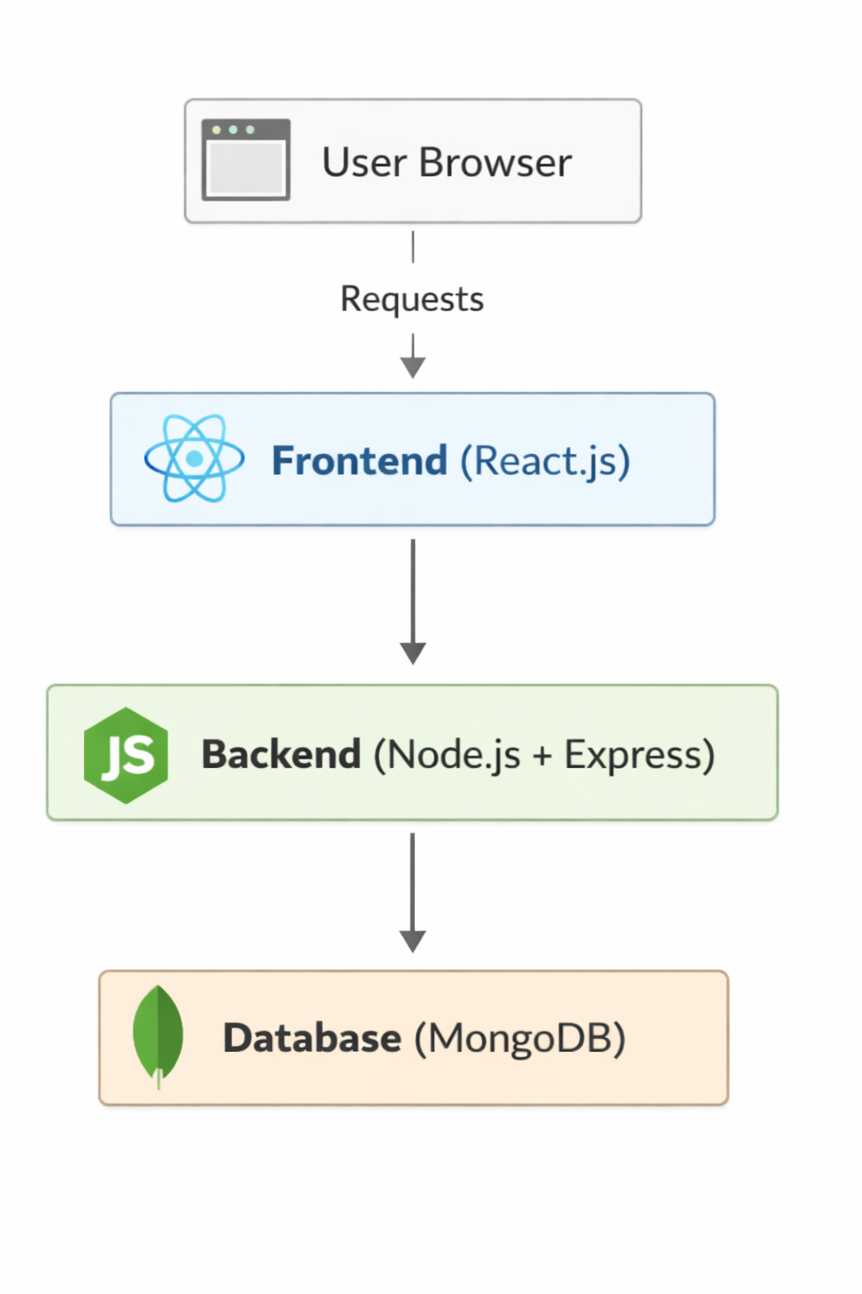
Figure 1: High-level three-tier architecture showing request flow from frontend to backend and database.
Application Layers
Frontend (React.js)
- Responsible for UI rendering
- Sends HTTP requests to the backend
- Runs independently of database concerns
Backend (Node.js + Express)
- Exposes REST APIs
- Handles application logic
- Connects to MongoDB using environment-based configuration
Database (MongoDB)
- Stores persistent application data
- Uses the official Docker image
- Persists data using Docker volumes
Infrastructure Design Principles
This setup follows modern DevOps patterns to ensure stability. The architecture is built on four core pillars:
- Isolation: Each service runs in its own container. This eliminates dependency conflicts between the frontend and backend.
- Service Discovery: Containers communicate through Docker DNS. Docker DNS handles service name resolution.
- Persistence: Database data survives container restarts. Docker volumes map internal database paths to the host machine.
- Declarative Configuration: Everything is defined in code. The infrastructure remains version-controlled and predictable.
There is no manual wiring or guesswork involved in this deployment.
1️⃣ Dockerfiles: Building the Docker Compose MERN Guide Blueprints
Each application service is defined by a Dockerfile, which acts as a build contract for that service.
Frontend: React.js Container
A lightweight Node.js image is used to install dependencies and run the React application.
# frontend/Dockerfile
FROM node:18-alpine

WORKDIR /app

COPY package*.json ./
RUN npm install

COPY . .

EXPOSE 3000
CMD ["npm", "start"]
Why this approach
- Alpine keeps the image small
- Dependency layers are cached efficiently
- The container exposes only the required port
Backend: Node.js + Express API
The backend container handles incoming requests and database communication.
Configuration is injected using environment variables—not hardcoded values.
# backend/Dockerfile
FROM node:18-alpine

WORKDIR /app

COPY package*.json ./
RUN npm install

COPY . .

EXPOSE 5000
CMD ["node", "server.js"]
This ensures the backend remains environment-agnostic and production-ready.
2️⃣ Orchestration: Managing the MERN Stack with Docker Compose
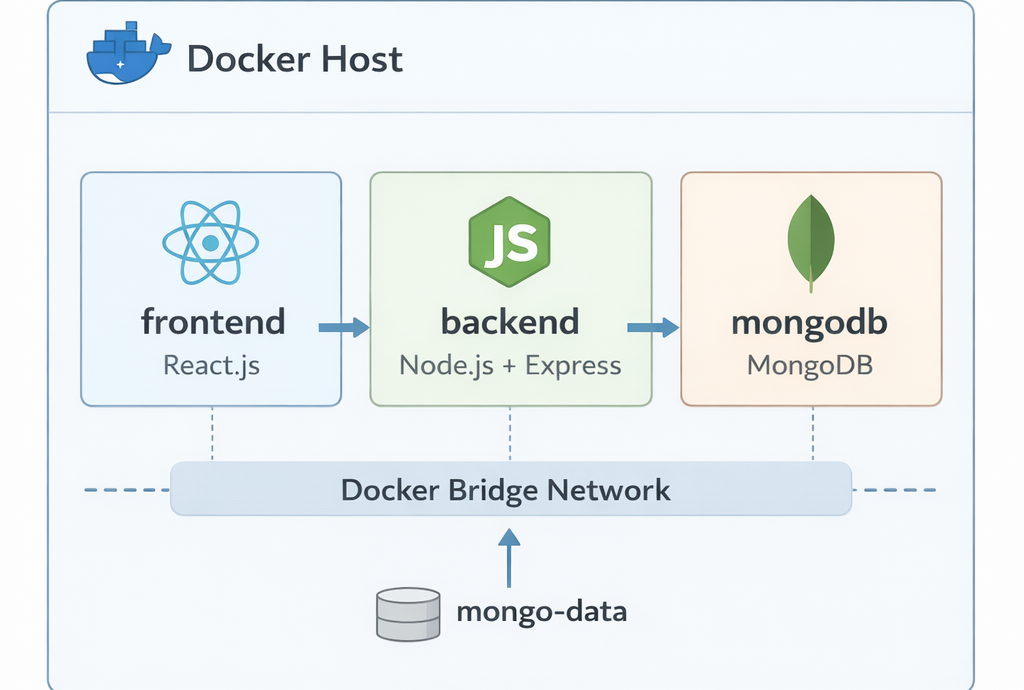
Figure 2: Docker Compose networking and volume persistence for MERN stack
Docker Compose acts as the control plane for the application.
The docker-compose.yml file defines:
- Service relationships
- Networking rules
- Persistent storage
- Startup dependencies
version: '3.8'

services:
  mongodb:
    image: mongo:latest
    env_file: .env
    volumes:
      - mongo-data:/data/db
    networks:
      - app-network

  backend:
    build: ./backend
    env_file: .env
    depends_on:
      - mongodb
    ports:
      - "5000:5000"
    networks:
      - app-network

  frontend:
    build: ./frontend
    depends_on:
      - backend
    ports:
      - "3000:3000"
    networks:
      - app-network

networks:
  app-network:
    driver: bridge

volumes:
  mongo-data:
How Containers Communicate (Important Detail)
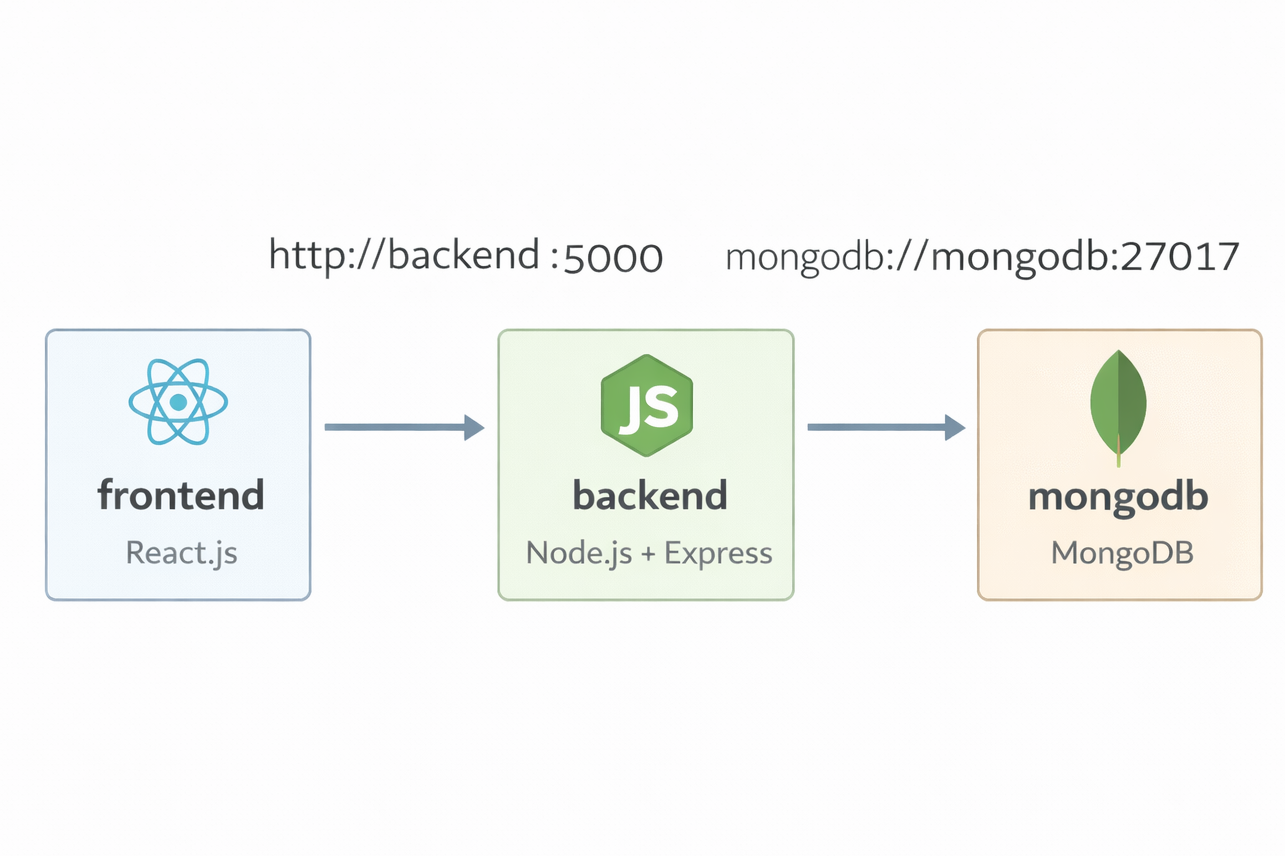
Docker Compose automatically provides internal DNS resolution.
This means:
- The backend connects to MongoDB using
mongodb - The frontend calls the backend using
backend:5000
No IP addresses are ever required.
This is a foundational concept in container networking—and one many beginners miss.
3️⃣ Deployment: One Command, Every Time
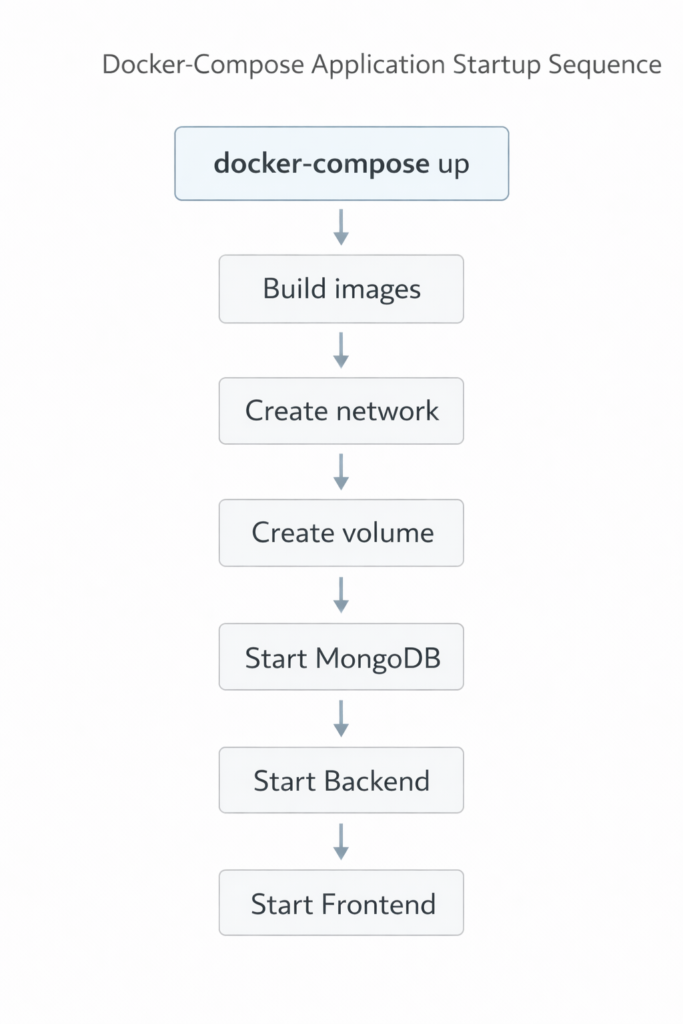
Once the configuration is defined, deployment becomes deterministic.
Start the Entire Stack
docker-compose up -d --build
Verify Containers
docker ps
Inspect Logs
docker-compose logs -f backend
Stop Services (Without Data Loss)
docker-compose down
MongoDB data persists in a named volume.
Operational Outcomes
This setup delivers measurable improvements:
- Reproducibility
The same environment runs on any machine with Docker. - Persistence
Database data survives restarts and rebuilds. - Observability
Logs are accessible per service. - Efficiency
Setup time reduced from manual effort to seconds.
Final Reflection
This project goes beyond basic Docker syntax. It reflects a DevOps mindset. Infrastructure is defined as code, and services are isolated across containers. This approach improves maintainability, debugging, and scalability. Containerization forms the foundation of modern development.
Note: For more on DevOps best practices, check out the Official Docker Documentation
