

A GitLab CI pipeline helps teams automate the process of building, testing, and preparing applications for deployment. Instead of relying on manual verification, teams can validate every code change automatically.
Continuous Integration improves development speed and reduces production risks. Without automation, developers often create inconsistent builds, detect bugs late, and waste time on manual testing. Therefore, implementing a GitLab CI pipeline becomes essential for maintaining stability and quality.
What is a GitLab CI Pipeline?
A GitLab CI pipeline is an automated workflow defined inside a .gitlab-ci.yml file. Every time a developer pushes code, GitLab triggers the pipeline and executes predefined stages.
This approach ensures:
- Code is validated automatically
- Builds remain consistent
- Errors are detected early
- Deployment risks are reduced
As a result, teams gain better visibility and control over the development lifecycle.
Challenges Before Implementing CI
Before introducing the GitLab CI pipeline, the development workflow faced several issues.
Developers were building and testing applications manually on their local systems. Because environments differed, builds were often inconsistent. In addition, bugs were discovered late in the deployment phase. There was no automated validation mechanism to verify code quality before release.
Consequently, the team experienced delays and increased operational risk.
Designing the CI Pipeline Structure
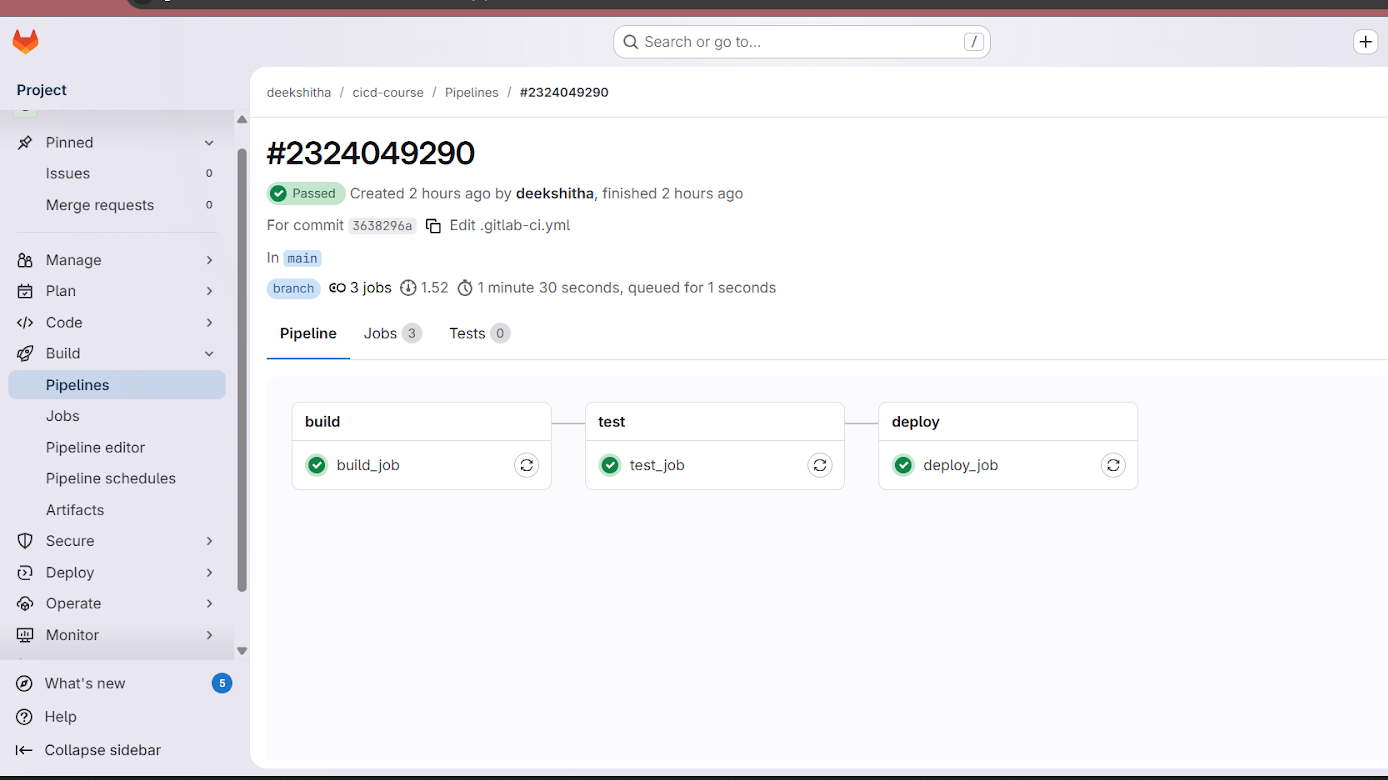
To address these challenges, the pipeline was structured into three logical stages:
Build → Test → Deploy
Each stage performs a specific function and runs sequentially. If one stage fails, the pipeline stops immediately. Therefore, faulty code cannot move to the next stage.
This structure ensures stability and reliability at every step.
Implementation Steps
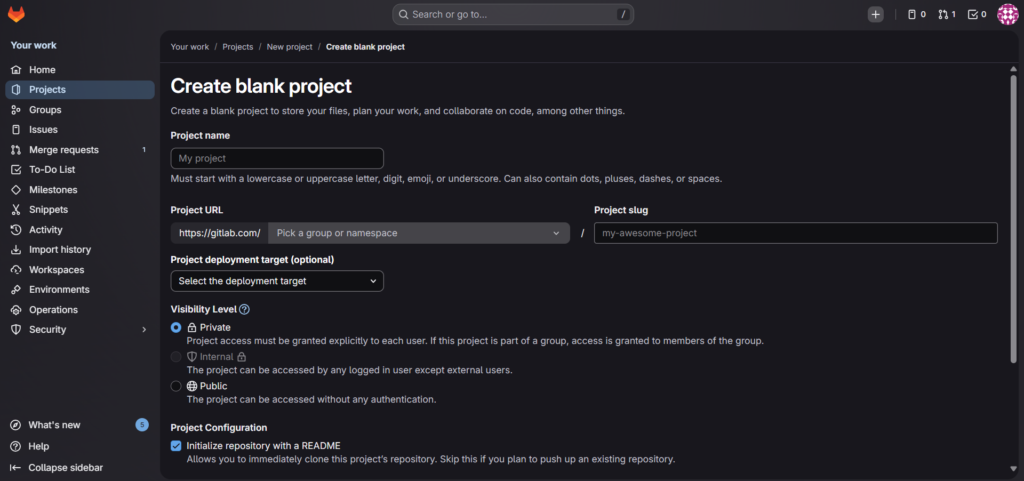
Step 1: Create a GitLab Project
- Log in to GitLab.
- Create a new project.
- Push the application source code to the repository.
Step 2: Add the CI Configuration File
Create a file named:
.gitlab-ci.yml
This file defines the pipeline structure.
CI Configuration
stages:
  - build
  - test
  - deploy

build_job:
  stage: build
  script:
    - echo "Building the application..."
    - echo "Build completed successfully."

test_job:
  stage: test
  script:
    - echo "Running tests..."
    - echo "All tests passed."

deploy_job:
  stage: deploy
  script:
    - echo "Deploying application..."
    - echo "Deployment simulation completed."
    - echo "demo1"
.gitlab-ci.ymlfile inside repository- Commit message showing CI file added
How to Push the CI Configuration to GitLab
After creating the .gitlab-ci.yml file, push the changes to GitLab using the following commands:
cd /path/to/your/project
git init
git add .
git commit -m "Add GitLab CI pipeline configuration"
git remote add origin https://gitlab.com/username/project-name.git
git push -u origin main
Once pushed, GitLab automatically detects the configuration and starts the pipeline.
Step 3: Push Changes and Trigger Pipeline
After committing and pushing the .gitlab-ci.yml file:
- GitLab automatically detects the configuration
- The pipeline is triggered
- Stages begin executing in sequence
Monitoring the Pipeline Execution
After the push, navigate to:
Project → CI/CD → Pipelines
Here, you can view:
- Pipeline status (Passed or Failed)
- Stage execution details
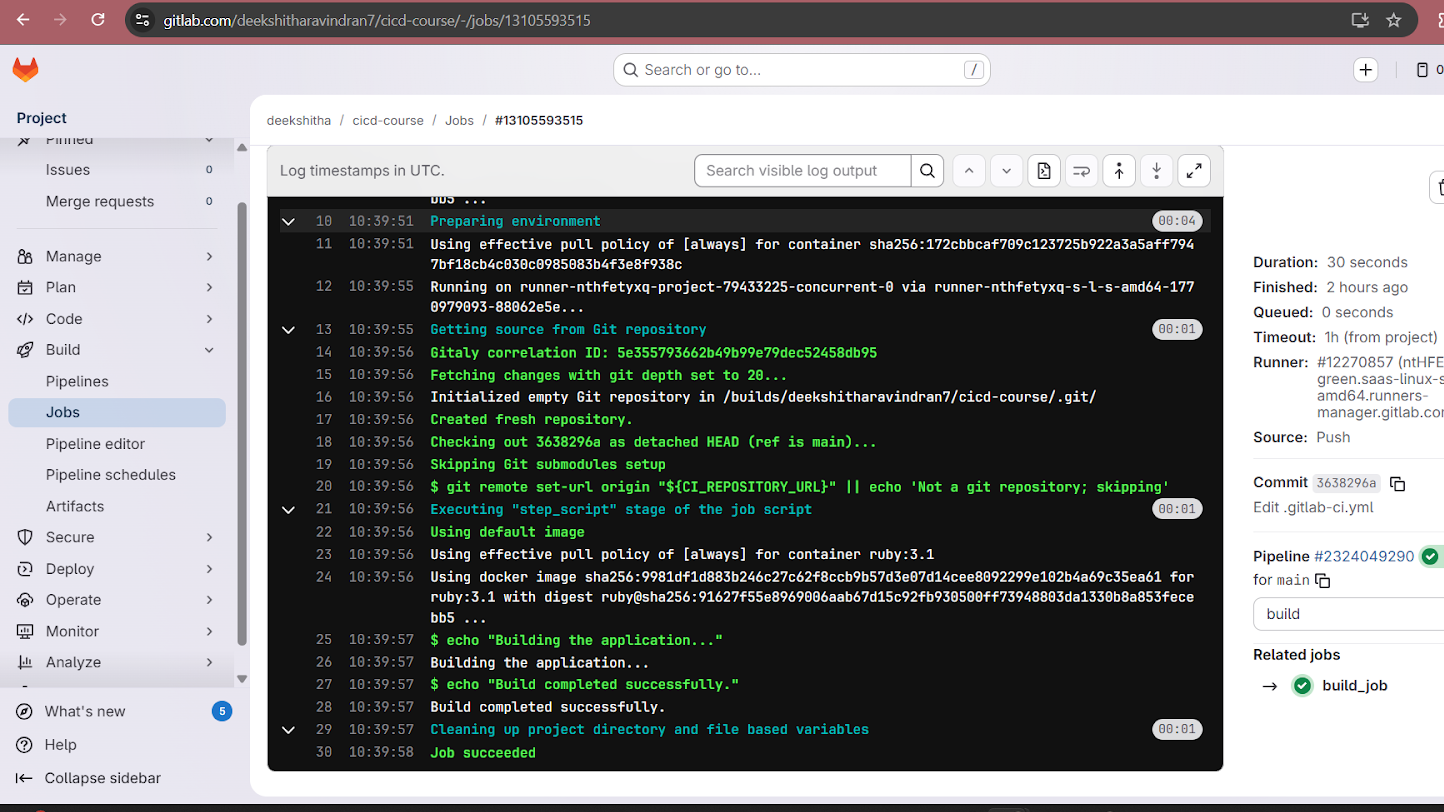
- Job logs for debugging
Each job generates logs that help identify issues quickly. This transparency improves collaboration and reduces troubleshooting time.
View Job Logs
Each job provides detailed logs for transparency and debugging.
How the GitLab CI Pipeline Solves Development Issues
The GitLab CI pipeline directly addresses earlier challenges.
Builds become standardized because every change follows the same automated process. Bugs are detected early through the test stage. Manual validation is eliminated, and deployment simulation ensures readiness before release.
As a result, the development workflow becomes predictable, consistent, and efficient.
Expected Outcome After Implementation
Once implemented, the GitLab CI pipeline ensures that:
- Every code push triggers automated validation.
- Build and test stages execute before deployment.
- Developers can monitor pipeline status in real time.
- Issues are detected early in the development cycle.
This automation significantly improves software reliability.
Future Enhancements
Although this is a basic CI pipeline, it can be extended further. For example, real build tools such as Maven or npm can replace echo commands. Automated test frameworks can improve validation depth. Additionally, deployment stages can integrate with staging or production environments.
Over time, this foundation can evolve into a complete CI/CD pipeline.
Conclusion
Implementing a GitLab CI pipeline introduces automation, consistency, and early error detection into the development workflow. By structuring the process into build, test, and deploy stages, teams can ensure that every code change is validated before release.
A well-designed CI pipeline is not just an automation tool. It is a critical step toward building a scalable and reliable DevOps practice.
