

Introduction
Modern infrastructure management increasingly relies on Infrastructure as Code (IaC). Instead of configuring cloud services manually, developers define infrastructure through code, making deployments reproducible, scalable, and easier to maintain. Among the tools available for this purpose, Terraform stands out as one of the most widely used solutions.
In this guide, we will deploy a static website on Amazon S3 using Terraform modules. The project demonstrates how reusable Terraform modules can structure infrastructure efficiently while following industry best practices. This tutorial demonstrates how to build an AWS S3 static website with Terraform modules while following industry-standard infrastructure practices.
Understanding the Architecture
Before diving into the implementation, it is important to understand how the architecture works. Amazon S3 allows developers to host static websites by serving HTML, CSS, JavaScript, and other assets directly from a storage bucket. When static website hosting is enabled, the bucket behaves like a simple web server.
Terraform acts as the automation layer that provisions and configures this infrastructure. Instead of manually creating resources through the AWS console, Terraform defines everything through configuration files. As a result, deployments become repeatable and consistent across environments.
In this project, Terraform provisions the following components:
- An S3 bucket to store the website files
- Static website hosting configuration
- Uploading website files automatically
- A bucket policy that allows public read access
Although the architecture remains simple, it demonstrates key DevOps principles such as modularity, automation, and infrastructure consistency.
Project Structure
A clean project structure improves maintainability and readability. Therefore, this project separates reusable infrastructure components into Terraform modules.
terraform-s3-website/
│
├── main.tf
├── variables.tf
├── outputs.tf
├── terraform.tfvars
│
├── website/
│   ├── index.html
│   └── error.html
│
└── modules/
    └── s3-static-website/
        ├── main.tf
        ├── variables.tf
        └── outputs.tf
The root configuration calls the module, while the module itself contains all the logic for creating and configuring the S3 static website infrastructure. This separation allows developers to reuse the module in different projects without rewriting the same configuration.
Creating the S3 Static Website Module
The Terraform module handles the complete lifecycle of the static website infrastructure. First, it creates the S3 bucket that will store the website content.
resource "aws_s3_bucket" "website_bucket" {
  bucket = var.bucket_name
}
After creating the bucket, Terraform enables static website hosting. This configuration defines the default index document and error page for the website.
resource "aws_s3_bucket_website_configuration" "website_config" {

  bucket = aws_s3_bucket.website_bucket.id

  index_document {
    suffix = var.index_file
  }

  error_document {
    key = var.error_file
  }
}
Next, Terraform uploads the website files from the local project directory to the S3 bucket. This process ensures that every file inside the website folder automatically becomes part of the deployed website.
resource "aws_s3_object" "website_files" {

  for_each = fileset(var.website_folder, "*")

  bucket = aws_s3_bucket.website_bucket.id
  key    = each.value
  source = "${var.website_folder}/${each.value}"

  etag = filemd5("${var.website_folder}/${each.value}")
}
Since the website must be publicly accessible, the bucket requires a policy that allows public read access. Without this configuration, visitors would not be able to load the website.
resource "aws_s3_bucket_policy" "public_access" {
bucket = aws_s3_bucket.website_bucket.id
policy = jsonencode({
Version = "2012-10-17"
Statement = [
      {
        Effect = "Allow"
        Principal = "*"
        Action = [
          "s3:GetObject"
        ]
        Resource = "${aws_s3_bucket.website_bucket.arn}/*"
      }
    ]
  })
}
Once Terraform applies this configuration, the bucket becomes capable of hosting a static website.
Root Terraform Configuration
The root configuration initializes the AWS provider and calls the reusable module. Instead of defining infrastructure directly in the root configuration, it simply passes variables to the module.
provider "aws" {
  region = var.aws_region
}
module "s3_static_website" {
 source = "./modules/s3-static-website"  bucket_name    = var.bucket_name
  website_folder = var.website_folder
  index_file     = var.index_file
  error_file     = var.error_file
}
This design keeps the project modular and easier to maintain.
Deploying the Infrastructure
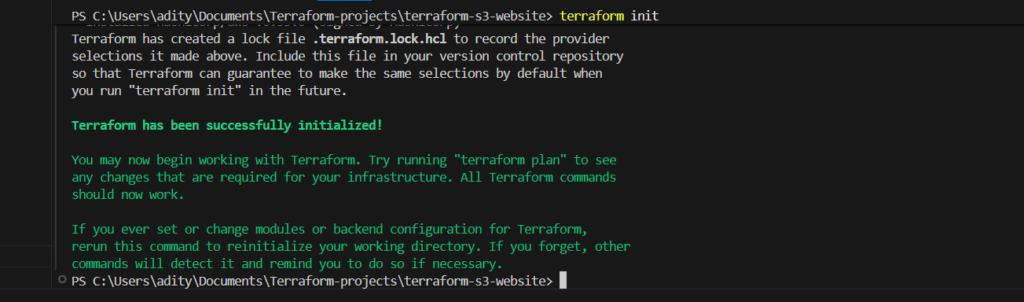
After writing the Terraform configuration, the deployment process becomes straightforward. Terraform first initializes the project and downloads the necessary provider plugins.
terraform init
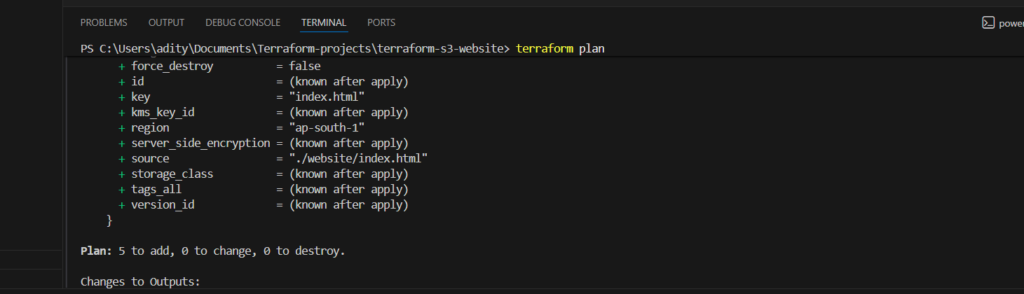
Next, Terraform generates an execution plan that shows the resources it will create. This step helps verify the configuration before applying any changes.
terraform plan
Finally, Terraform provisions the infrastructure on AWS.
terraform apply
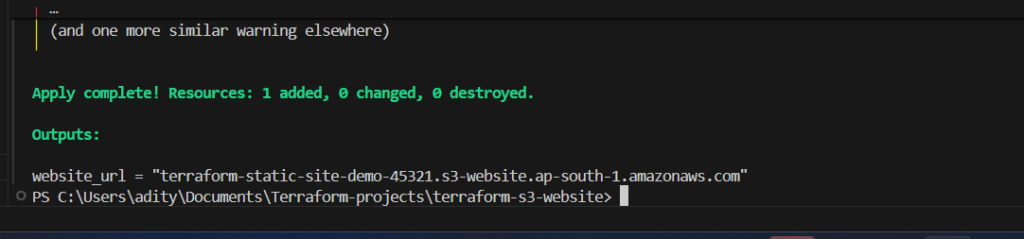
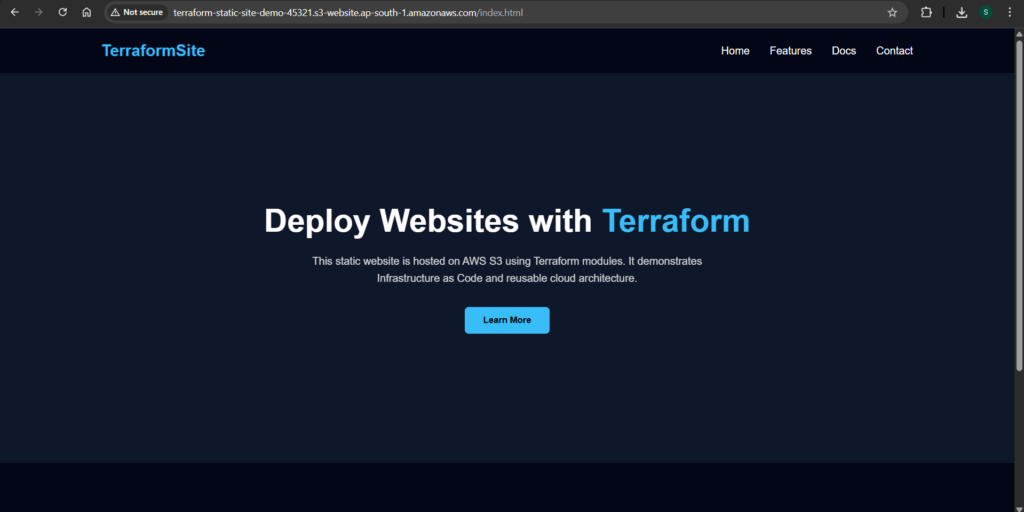
Once the deployment completes successfully, Terraform outputs the static website endpoint. Opening this URL in a browser loads the website hosted on Amazon S3.
Verifying the Website Deployment
After the deployment finishes, the website becomes accessible through the S3 static website endpoint. The browser loads the index.html file as the default page, while the error.html file appears if a page cannot be found.
Because Terraform manages both infrastructure and file uploads, any future updates become extremely simple. Developers can modify the website files locally and apply Terraform again to update the S3 bucket automatically.
Advantages of Using Terraform Modules
Using Terraform modules significantly improves infrastructure design. Instead of writing repetitive configuration files, developers can create reusable building blocks that simplify complex deployments.
Modules also promote better collaboration. Teams can share modules across multiple projects, ensuring that infrastructure remains consistent and easier to maintain. Furthermore, modular architecture helps scale infrastructure as applications grow.
For static website hosting, Terraform modules provide an efficient way to automate the entire deployment process while maintaining clean and organized infrastructure code.
Conclusion
Deploying a static website using Terraform and Amazon S3 demonstrates how Infrastructure as Code simplifies cloud deployments. Instead of relying on manual configuration, Terraform provisions resources automatically, ensuring consistency and reliability.
By structuring the project with reusable modules, developers can follow industry best practices and maintain scalable infrastructure. The same module can later integrate with services such as CloudFront to improve performance and global availability.
In the next step, we will extend this project by adding a CloudFront distribution module, which will deliver the website through a global content delivery network and significantly improve loading speeds.
