
Introduction
Modern web applications require both reliability and speed. While Amazon S3 provides a simple way to host static websites, performance can still suffer when users access the site from distant regions. To solve this problem, developers commonly place a Content Delivery Network in front of the storage service. Amazon CloudFront fulfills this role by caching content across a global network of edge locations.
In this tutorial, we will create a CloudFront distribution for an S3 static website using Terraform modules and AWS infrastructure. The goal is to extend the previously deployed infrastructure so that website content is delivered through CloudFront instead of directly from the S3 endpoint. As a result, users experience faster load times and improved availability across the world.
Why Use CloudFront with an S3 Static Website
Hosting static content in Amazon S3 already provides durability and scalability. However, users accessing the website from different geographic regions may still experience latency because requests travel to a single AWS region.
CloudFront solves this challenge by distributing cached versions of the website to edge locations worldwide. When a user requests the website, CloudFront serves the content from the nearest edge location instead of forwarding every request to S3. Consequently, the website loads significantly faster while reducing load on the origin server.
Terraform makes it possible to automate this configuration. Instead of manually setting up CloudFront distributions through the AWS console, Terraform provisions the infrastructure using reusable modules. This approach improves consistency, repeatability, and maintainability of the infrastructure.
Project Structure
This project continues using the modular Terraform structure created earlier. Instead of writing all resources in the root configuration, we separate infrastructure components into reusable modules. The S3 static website module already exists, while a new module now manages the CloudFront distribution.
terraform-s3-website/
│
├── main.tf
├── variables.tf
├── outputs.tf
├── terraform.tfvars
│
├── website/
│   ├── index.html
│   └── error.html
│
└── modules/
    │
    ├── s3-static-website/
    │   ├── main.tf
    │   ├── variables.tf
    │   └── outputs.tf
    │
    └── cloudfront-distribution/
        ├── main.tf
        ├── variables.tf
        └── outputs.tf
This structure improves organization and ensures that both modules can be reused in other infrastructure projects.
Creating the CloudFront Distribution Module
The CloudFront module defines the resources required to create a distribution that serves content from the S3 bucket. Terraform provisions the distribution and connects it to the S3 bucket as its origin.
resource "aws_cloudfront_distribution" "cdn" {

  origin {
    domain_name = var.origin_domain
    origin_id   = "s3Origin"
  }

  enabled = true

  default_root_object = var.default_root_object

  default_cache_behavior {

    allowed_methods = ["GET", "HEAD"]

    cached_methods = ["GET", "HEAD"]

    target_origin_id = "s3Origin"

    viewer_protocol_policy = "redirect-to-https"

    forwarded_values {

      query_string = false

      cookies {
        forward = "none"
      }
    }
  }

  restrictions {

    geo_restriction {
      restriction_type = "none"
    }
  }

  viewer_certificate {
    cloudfront_default_certificate = true
  }
}
This configuration instructs CloudFront to use the S3 bucket as the origin. At the same time, it defines how CloudFront should handle requests, caching, and HTTPS redirection.
Next, the module declares the required variables. These variables allow the module to remain flexible so it can be reused with different origins or configurations.
variable "origin_domain" {
  description = "S3 origin domain name"
  type        = string
}

variable "default_root_object" {
  description = "Default root object"
  type        = string
}
Finally, the module outputs the CloudFront domain name so that the root Terraform configuration can display the website endpoint after deployment.
output "cloudfront_domain" {
  value = aws_cloudfront_distribution.cdn.domain_name
}
Calling the CloudFront Module from the Root Configuration
After defining the module, the root Terraform configuration calls it and connects it with the S3 static website module. The S3 module outputs the bucket’s regional domain name, which CloudFront uses as the origin.
module "cloudfront_distribution" {

  source = "./modules/cloudfront-distribution"

  origin_domain       = module.s3_static_website.bucket_regional_domain_name
  default_root_object = "index.html"
}
This approach demonstrates the power of Terraform modules. Instead of repeating infrastructure definitions, the root configuration simply connects the modules together.
Deploying the Infrastructure
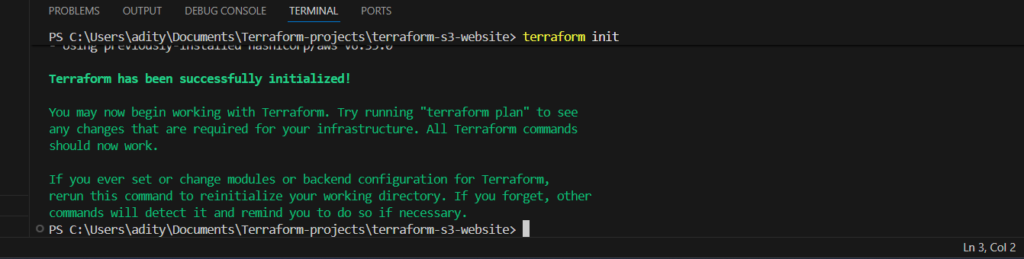
Once the configuration files are ready, Terraform can deploy the infrastructure automatically. The process begins by initializing the project and downloading the required provider plugins.
terraform init
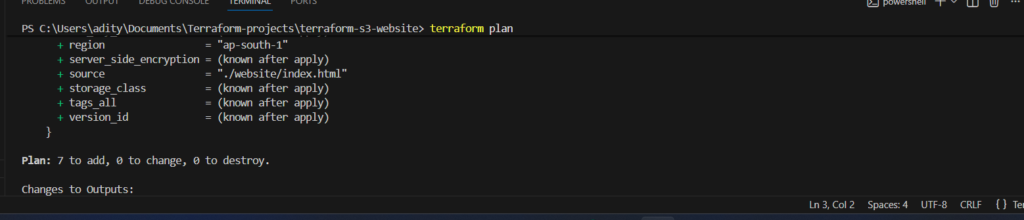
After initialization, Terraform generates an execution plan that shows which resources it will create or modify.
terraform plan
When the plan looks correct, Terraform provisions the infrastructure in AWS.
terraform apply

The deployment process usually takes several minutes because CloudFront distributions require time to propagate across edge locations worldwide.
Accessing the Website Through CloudFront
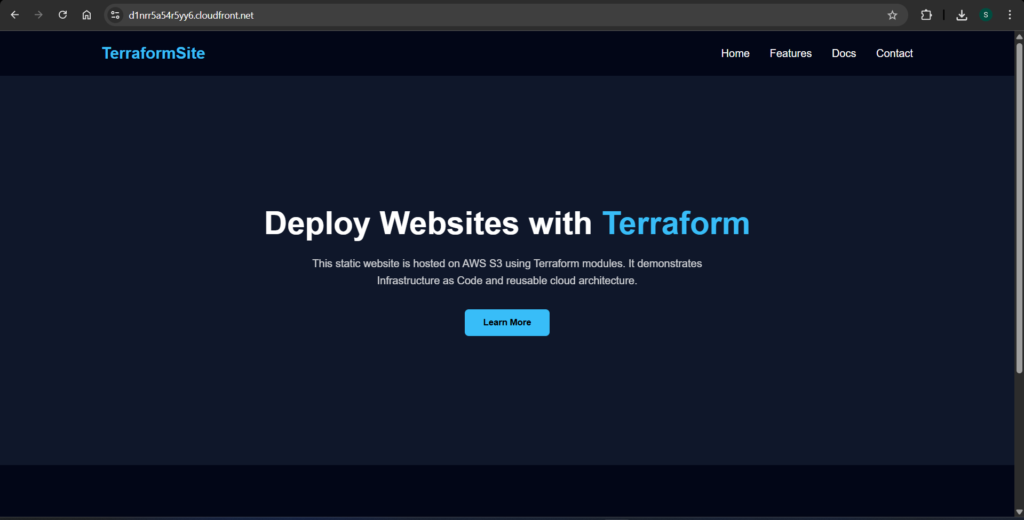
Once Terraform completes the deployment, it outputs the CloudFront distribution domain name. Opening this URL in a browser loads the static website through the CloudFront CDN instead of directly from Amazon S3.
Because CloudFront caches content globally, users experience faster load times and improved reliability. At the same time, the origin S3 bucket handles fewer direct requests, which improves overall scalability.
Advantages of Using Terraform for CDN Deployment
Automating CloudFront deployment with Terraform provides several advantages. First, infrastructure becomes reproducible because the same configuration can deploy identical environments multiple times. Second, modules allow developers to reuse infrastructure components across projects without rewriting code. Finally, version control systems can track infrastructure changes just like application code.
These benefits make Terraform an essential tool for modern DevOps workflows, especially when managing scalable cloud infrastructure.
Conclusion
Deploying a CloudFront distribution in front of an S3 static website significantly improves performance and user experience. By combining Amazon S3 with CloudFront, developers create a globally distributed architecture capable of serving content quickly to users anywhere in the world.
Terraform simplifies this process by automating the entire deployment through reusable modules. Instead of manually configuring cloud resources, developers define infrastructure as code and deploy it consistently across environments.
In this project, we successfully extended our S3 static website infrastructure by adding a CloudFront distribution module. This modular approach demonstrates how Infrastructure as Code enables scalable, maintainable, and production-ready cloud architectures.
