
Introduction
An automated backup policy in AWS is essential for protecting critical cloud resources and ensuring business continuity. As organizations increasingly rely on cloud services for compute, storage, and databases, the risk of data loss due to failures, human error, or cyber threats continues to grow.
This guide explains how to implement an automated backup policy in AWS using AWS Backup. The solution centralizes backup management and applies consistent protection across Amazon EC2, Amazon RDS, and Amazon S3. By using tag-based automation, it ensures that all eligible resources are backed up without manual intervention.
Why a Centralized Backup Strategy Matters
Modern cloud environments often include multiple services working together. Without a centralized backup approach, each service requires separate configuration, which increases complexity and the chances of human error. A unified backup system eliminates these issues by applying consistent policies across all resources.
Automation plays a crucial role here. By using tagging and predefined backup rules, organizations can ensure that newly created resources are automatically included in backup policies. This not only improves operational efficiency but also strengthens compliance and reliability.
Architecture Overview
The implemented solution uses AWS Backup as the central service to manage backups. A backup vault stores recovery points, while a backup plan defines when and how backups occur. Resources such as EC2 volumes, RDS databases, and S3 buckets are assigned to the plan using tags.
This architecture ensures that backups are triggered automatically based on defined schedules, while also allowing on-demand backups for immediate verification or urgent requirements.
Step 1: Creating a Backup Vault
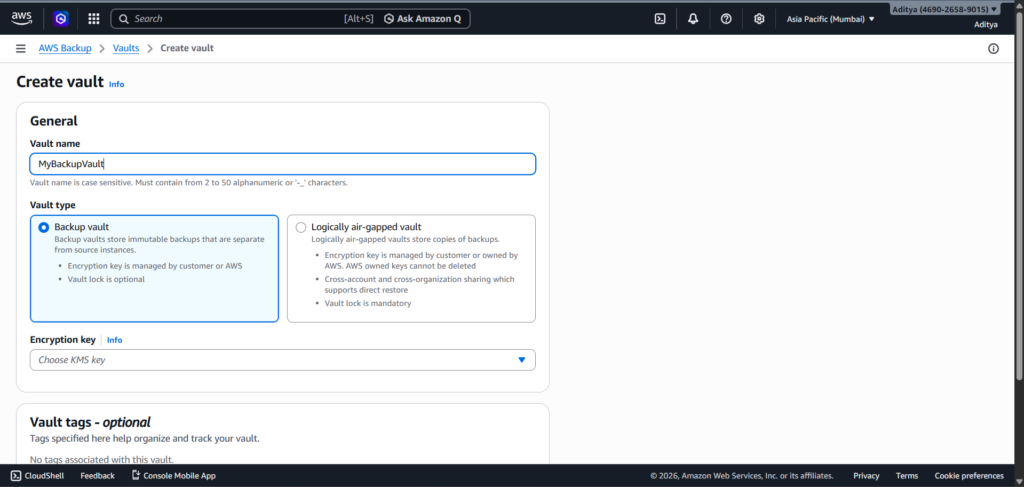
The process begins by creating a backup vault, which acts as a secure storage location for all backup data. Within AWS Backup, a new vault named MyBackupVault is created using default encryption settings.
This vault ensures that all recovery points are stored centrally, making it easier to manage and restore data when needed. Encryption is handled automatically, ensuring data security without additional configuration.
Step 2: Defining a Backup Plan
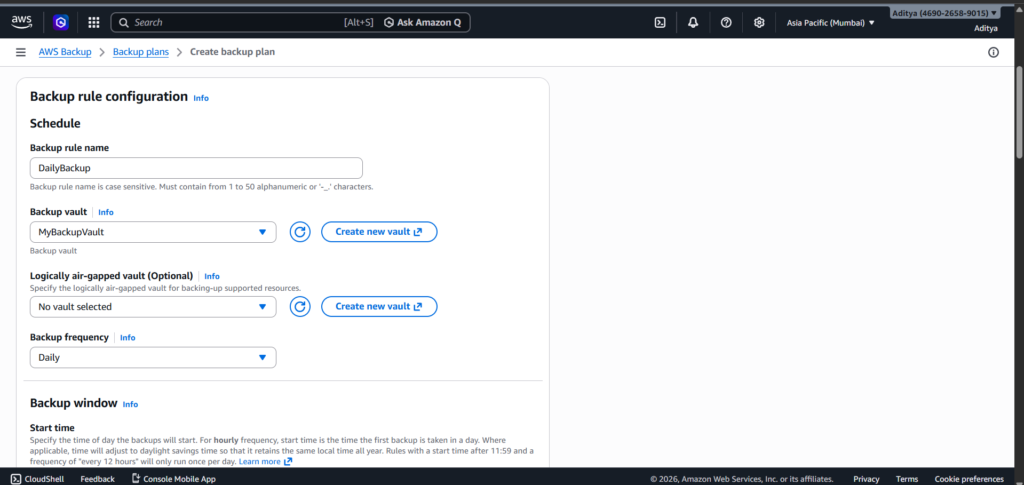
After setting up the vault, a backup plan is created to define the backup schedule and retention rules. The plan, named MyBackupPlan, includes a daily backup rule that ensures all tagged resources are backed up regularly.
The retention policy is configured to delete backups after 90 days. This approach balances data availability with cost optimization, preventing unnecessary storage usage while maintaining sufficient recovery history.
Step 3: Assigning Resources Using Tags
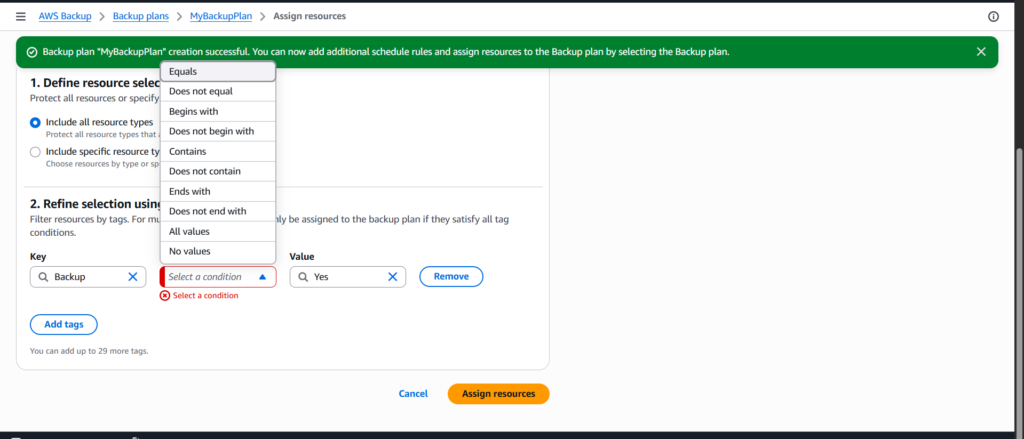
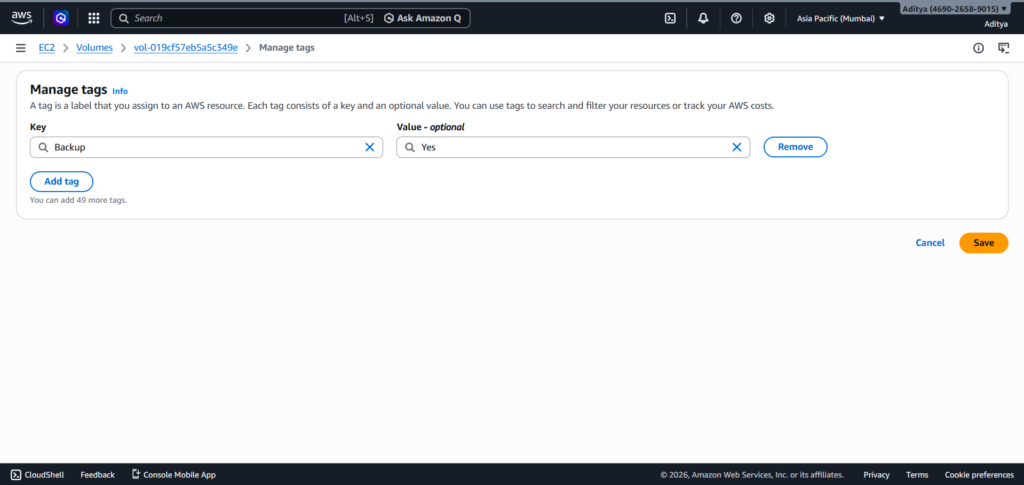
Instead of manually selecting each resource, the implementation uses a tag-based approach. A tag with the key Backup and value Yes is defined within the backup plan.
This method ensures that any resource with this tag is automatically included in the backup policy. It eliminates the need for repeated manual assignments and allows the system to scale effortlessly as new resources are added.
Step 4: Preparing Resources for Backup
Each resource type requires specific preparation before it becomes eligible for backup.
For EC2, an instance is launched to ensure that its associated EBS volume is actively in use. The backup tag is then applied to the volume, allowing AWS Backup to detect and include it in the policy.
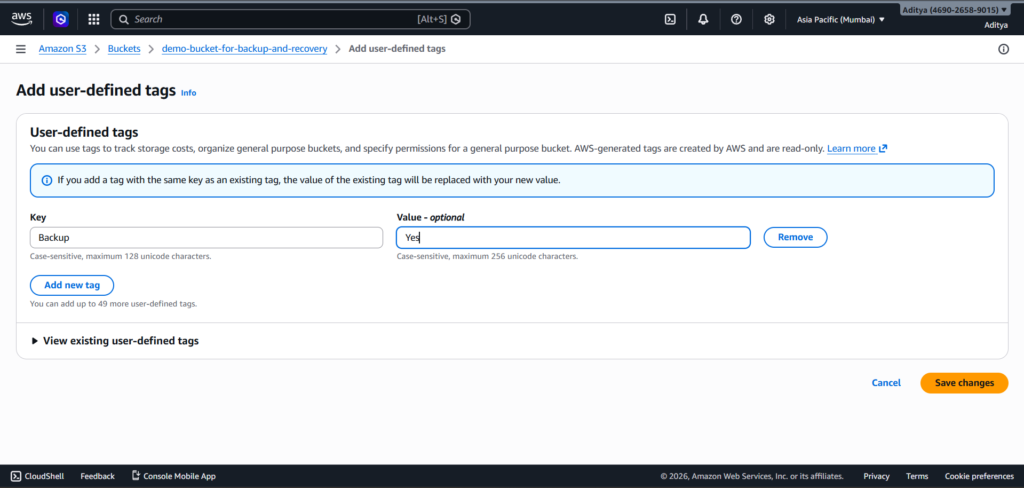
For S3, versioning is enabled on the bucket. AWS Backup requires versioning to maintain consistent and recoverable object states. Once versioning is active, the same backup tag is applied.
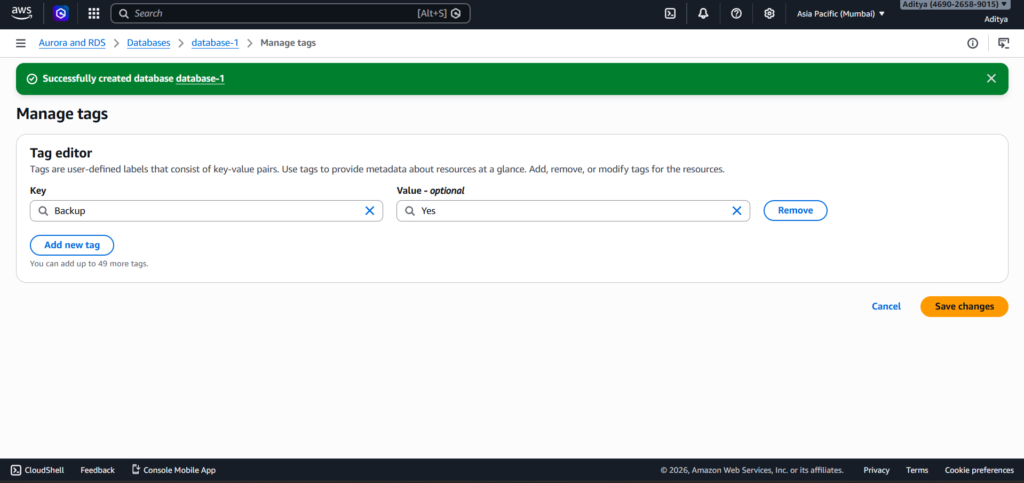
For RDS, a database instance is created and tagged with the backup key-value pair. This allows the database to be included in automated backups without additional configuration.
Step 5: Resolving IAM Role Permissions
During implementation, an IAM permission issue may arise when attempting to create a backup. This occurs when the selected IAM role does not have sufficient permissions to access and back up resources.
The issue is resolved by assigning the correct role, AWSBackupDefaultServiceRole, which includes the necessary policies for backup and restore operations. If the role is not available, it can be created by attaching the appropriate AWS-managed policies.
This step is critical, as AWS Backup relies entirely on IAM roles to interact with resources securely.
Step 6: Triggering and Verifying Backups
Although the backup plan is configured to run daily, an on-demand backup is triggered to verify that the setup works correctly. This immediate execution confirms that all configurations, including tagging and permissions, are functioning as expected.
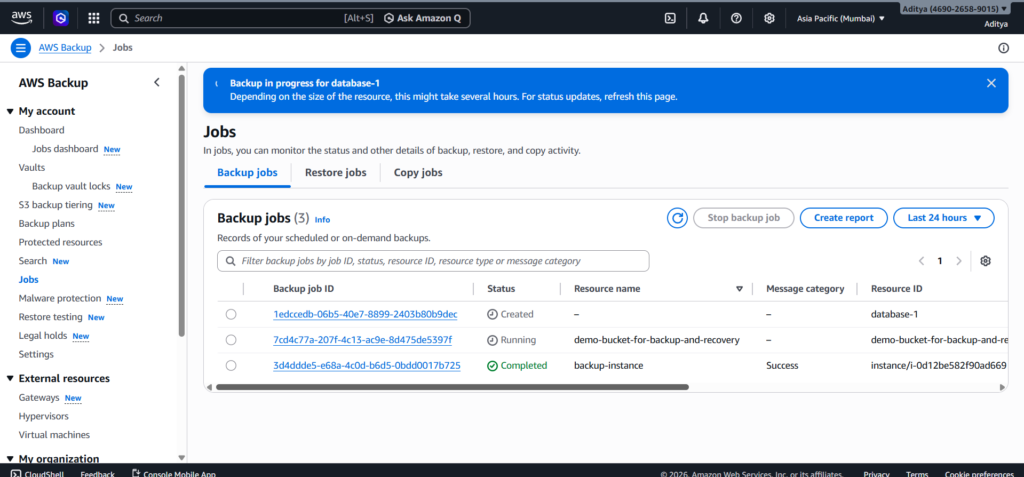
Once triggered, backup jobs appear in the AWS Backup dashboard with statuses such as Running or Completed. These jobs serve as proof of successful implementation and can be used as evidence for documentation or audits.
Evidence of Implementation
The successful implementation can be verified through several key indicators. The backup plan appears in AWS Backup with the defined rules, and resources are listed under protected resources. Backup jobs show execution status, while the backup vault contains recovery points created during the process.
These elements collectively confirm that the automated backup policy is active and functioning correctly.
Benefits of the Implemented Backup Policy
The implemented solution significantly improves system reliability by ensuring that backups occur automatically without manual intervention. It also enhances consistency, as all resources follow the same backup rules through tag-based selection.
Scalability becomes effortless, since any new resource with the appropriate tag is automatically included in the backup policy. This reduces operational overhead and prevents configuration drift.
Cost efficiency is achieved through lifecycle policies that control retention periods, ensuring that storage is used effectively without unnecessary expenses.
Conclusion
A centralized and automated backup strategy is essential for maintaining data integrity and ensuring business continuity in cloud environments. By leveraging AWS Backup, organizations can simplify backup management while achieving high levels of reliability and consistency.
This implementation demonstrates how automation, tagging, and proper IAM configuration work together to create a robust backup system. With minimal ongoing effort, the system continues to protect resources and adapt to changes in the infrastructure.
